Agentic OS: 16 AI Assistants Ranked by Tier (2026)
In the space of a few weeks, the big AI labs all started selling the same thing. xAI launched Grok Bot on 11 August. Meta launched Muse on 8 September. Manus launched Cue on 28 September, and OpenAI announced dots at its developer day the next day. Google's Gemini Spark and Anthropic's Claude Cowork were already out earlier in the year. Each one is an assistant that remembers you, runs around the clock on its own cloud computer and does real tasks across your apps.
That idea has a name: an agentic OS, an AI assistant you build up over time. Until now, you mostly had to build one yourself, from free open-source projects with hundreds of thousands of GitHub stars to paid communities and Anthropic's own Claude Projects. Now you can also just sign up for one. Most guides list all of these as if they were the same thing. They aren't.
In this guide, we rank 16 of them using the four-tier model we teach in our AI Master's program, and we show the evidence for every placement. They're listed from the lowest tier to the highest, and each one is marked as either something you build or run yourself (10 of them) or a ready-made assistant from a big lab that needs no technical setup (6). Then we look at where it's all heading: from one person's assistant to a whole company's shared brain.
⏱️ TL;DR — if you've only got 30 seconds
An agentic OS is an AI assistant with memory, an identity and skills that compound over time. This year Google, xAI, Meta and OpenAI all started selling one ready-made, but most aren't available in the UK yet. We rank 16 of them on four tiers: harness (the base tool), personal AI (it knows you), AI infrastructure (it runs your operation), and shared AI infrastructure (a whole team's brain). Almost everything today is single-user — even Anthropic's new Projects ("a project belongs to one user"). The real shift, and what Y Combinator is now funding, is AI going multiplayer: one shared company brain instead of a thousand private threads.
What Is an Agentic OS?
Think about the difference between a temp and a long-serving assistant. Both are smart. The temp needs everything explained every morning. The assistant already knows how you like your reports, which clients are difficult and what went wrong last time, and just gets on with it.
A plain AI chat is the temp. Close the window and it forgets you. An AI coding tool like Claude Code is further along, it can even keep notes between sessions, but on its own it still doesn't know your standards, your projects or how you work. An agentic OS is what you get when you give it the long-serving assistant's advantages: a memory that lasts between sessions, a profile of who you are and how you work, and skills, which are written-down procedures it can reuse, so it does a task your way every time.
Nobody owns the name. You'll see "agentic OS", "personal AI", "personal AI infrastructure", "AI assistant" and "second brain" used for the same idea. Slack uses "agentic OS" for something bigger again: a layer that coordinates many agents across a whole company.
That spread of meanings is exactly why a single list doesn't work. A tool that remembers your writing style and a platform that runs a business's agents both get called an agentic OS, so we need a way to tell them apart.
The Four Tiers of AI Assistants
We use four tiers. Each one is defined by what the system does for you, not by how many features it lists.
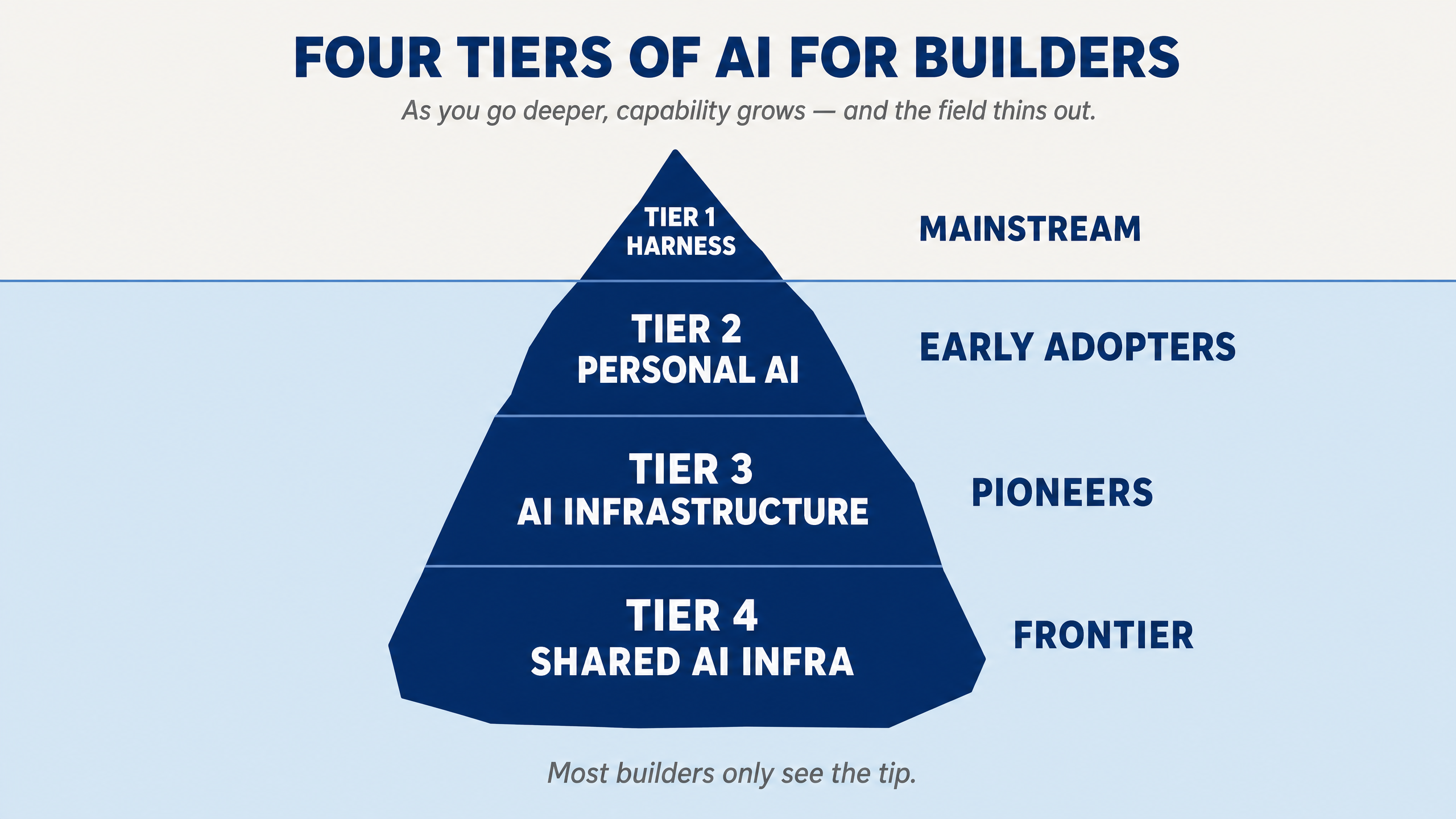
Tier 1 is the harness. Claude Code, Codex, Cursor, Gemini CLI. A language model with tools, so it can read files, run commands and browse. That's what turns a model into an agent. It's powerful, and it's where most people work, but on its own it doesn't know you: your standards, your projects, the decisions you've already made.
Tier 2 is personal AI. You add a memory, an identity and skills to the harness. Now it's "a tool that knows you", and it gets a little better every time you use it.
Tier 3 is AI infrastructure. The assistant stops being something you chat to and becomes "a system that runs your operation." It connects to the real systems a business depends on, such as servers, billing, publishing and monitoring, and it has a deliberate security model so it can do that without causing damage.
Tier 4 is shared AI infrastructure. The same system, shared by a team. Everyone works from one shared base of context, skills and standards, and each person has their own space with their own permissions.
To check where each product belongs, we scored all 16 against the seven capabilities we teach: identity, memory, skills, orchestration (coordinating several agents), execution (working while you're away), interface (how you reach it) and governance (the rules that stop it doing damage). We read each project's own documentation and code, and every placement below rests on a quote from its own docs.
One thing surprised us. Nearly every Tier 2 product already has the Tier 3 features: sub-agents, scheduled jobs and permission rules. Most of those come free with the harness underneath. So features alone don't decide the tier. What does is reach: what the system is actually trusted to run, and for how many people.
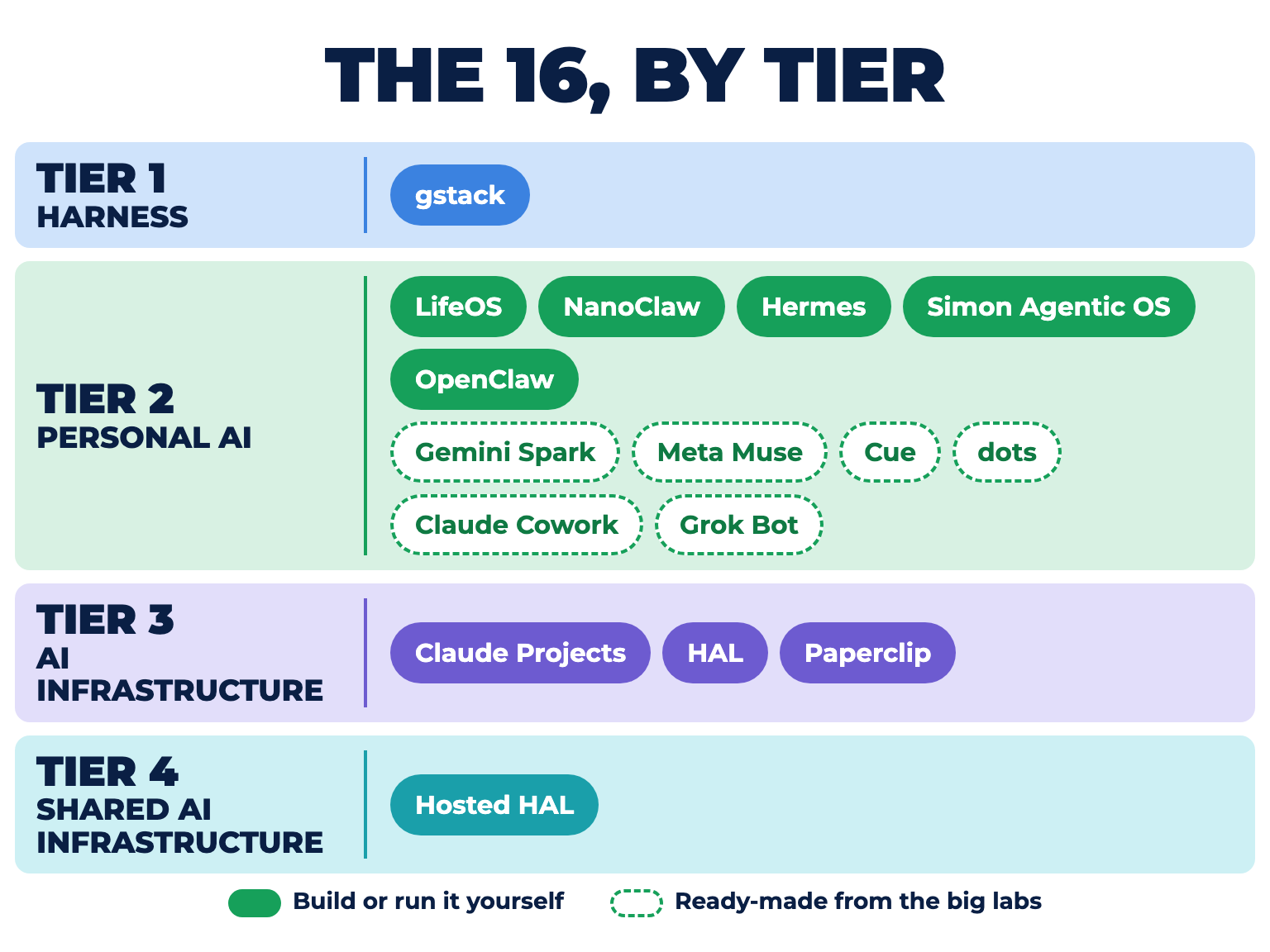
16 Agentic OS Options, Ranked by Tier
Star counts are from GitHub on 2 October 2026. A star is a developer bookmarking a project, so it is a rough measure of popularity, not quality. "MIT licence" means the code is free to use and change.
Capability key: ✓ yes · ◐ partial · ✗ no — scored from each product's own docs. For the six ready-made assistants, every tick rests on a quote from the vendor's own pages; anything the vendor hasn't documented is marked ✗.
Each card is marked with a chip showing which kind it is. Build it yourself means you install, run or assemble it: you need a terminal, an API key, or at least a Claude Code subscription and the patience to set it up. Ready-made means one of the big labs runs it for you: you sign up in an app, connect your email and calendar, and it starts working.
The ready-made ones are new: Google, xAI, Meta, Manus, OpenAI and Anthropic all sell one now, most of them launched since August. Every one lands on Tier 2. Grok Bot is the only one already reaching toward Tier 4, because a whole team can share a bot. None of them is trusted to run an operation yet, which is what Tier 3 takes.
1. gstack
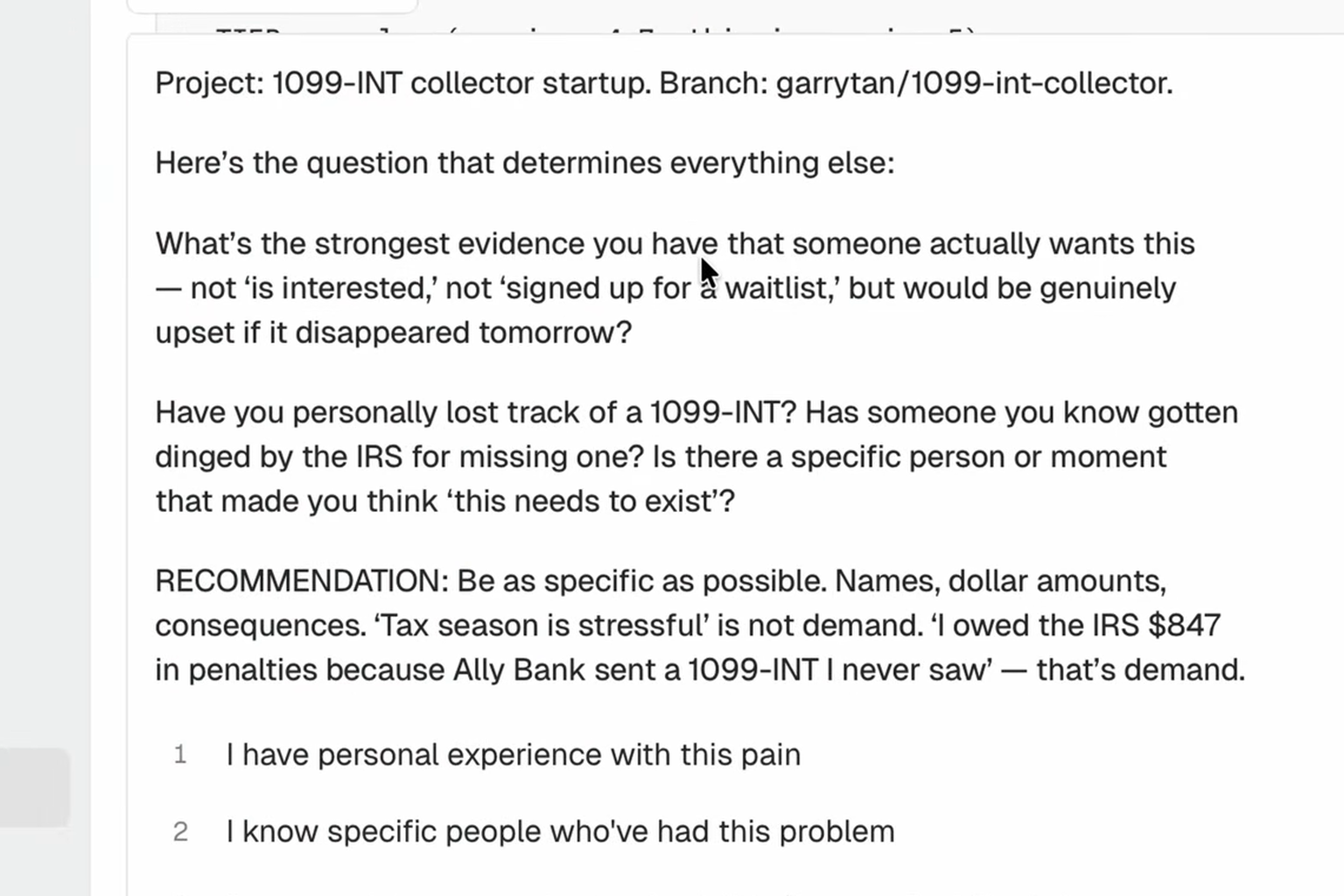
Real screen. Source: Y Combinator video with Garry Tan (4:52).
At a glance
gstack is Garry Tan's personal Claude Code setup, published as open source (MIT licence, 134,729 stars). Tan is the president and CEO of Y Combinator, the startup accelerator. The pack describes itself as "Twenty-three specialists and eight power tools, all slash commands": a CEO reviewer, a designer, a QA tester, a security officer and so on, each a role Claude Code can play on demand.
It's a brilliant way to see how a heavy user structures their skills. But it's a skill pack for one developer, not an assistant that knows you. It sits on top of Tier 1 and makes it sharper.
Official project: github.com/garrytan/gstack
Best for: developers who want a proven set of review and planning skills to copy.
2. LifeOS, formerly PAI
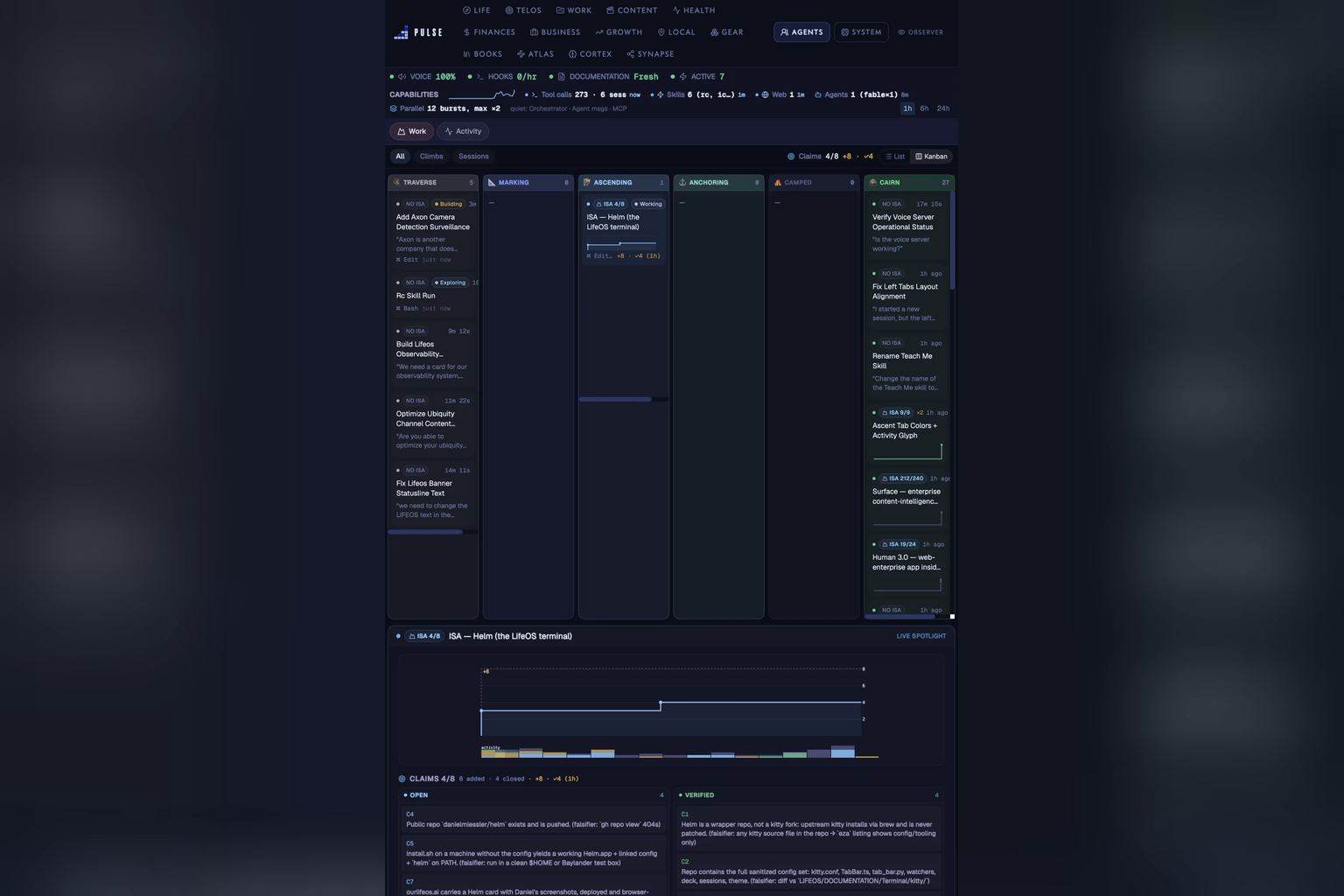
Real screen. Source: LifeOS site.
At a glance
Daniel Miessler's Personal AI Infrastructure was renamed LifeOS in July 2026 (v6.0.0, MIT, 19,265 stars). It's the closest in spirit to how we build: it's designed as "a single Digital Assistant" built around you, with your identity and goals loaded at the start of every session, a memory of past decisions, and a denylist that "blocks dangerous operations regardless of what any prompt says."
Miessler comes from the security world, and it shows. LifeOS treats safety as part of the design rather than an afterthought.
Official project: github.com/danielmiessler/LifeOS
Best for: people who want a deeply personal assistant for their whole life, not just work, and are happy running it on Claude Code.
Official video from the maker.
3. NanoClaw
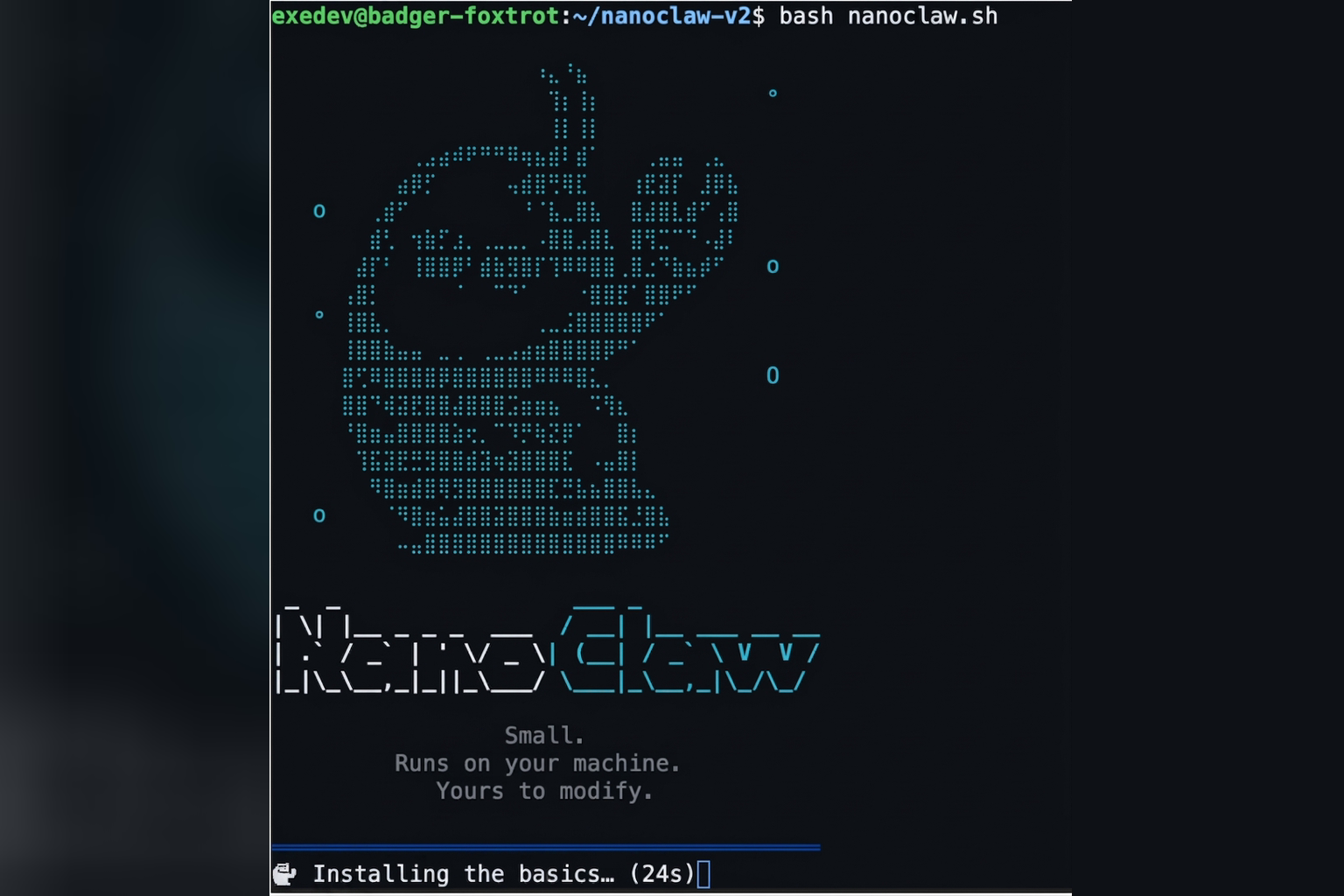
Real screen. Source: NanoClaw blog.
At a glance
NanoClaw (MIT, 30,867 stars) is a smaller, security-first take on the same idea. Every agent runs inside its own container, a sealed-off box on the computer that it cannot see out of, so "Bash access is safe because commands run inside the container." It connects to WhatsApp, Telegram, Slack, Teams and iMessage, keeps a file-based memory, and runs scheduled tasks.
It describes itself as "Built for the individual user." It does have user roles, so a few people can share an agent, but its own docs warn that between people in the same group, "Information will cross-pollinate through agent memory."
Official project: github.com/nanocoai/nanoclaw
Best for: anyone who wants a chat-app assistant and cares about containment.
Official video from the maker.
4. Hermes Agent
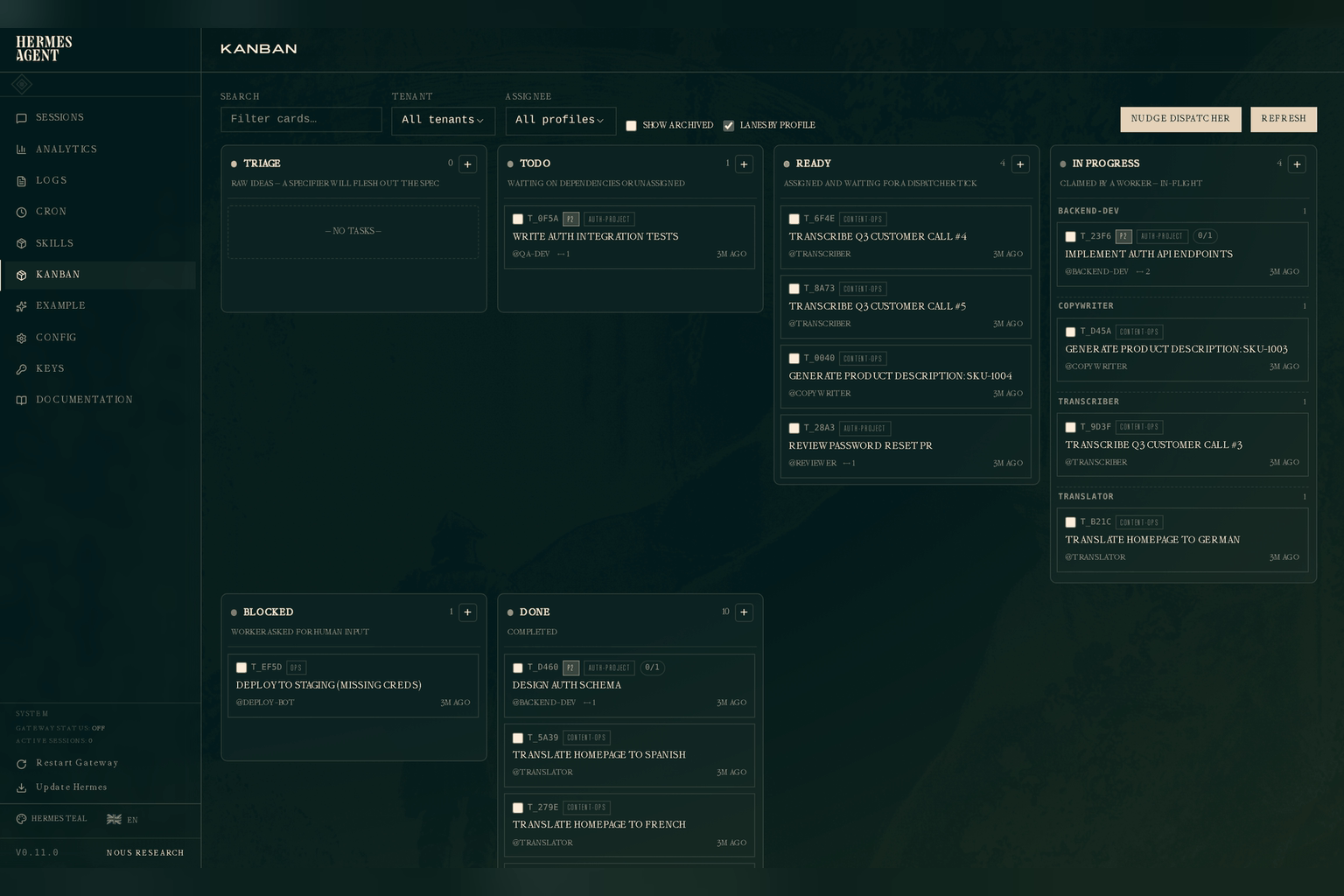
Real screen. Source: Hermes Agent docs on GitHub.
At a glance
Hermes Agent from Nous Research (MIT, 250,661 stars) is the one with the most interesting memory. It keeps "bounded, curated memory that persists across sessions" plus a user profile with "your preferences, communication style, expectations", and it writes new skills for itself after complex tasks. It runs from a laptop or a $5 server and talks to you through Telegram, Discord, Slack, WhatsApp and Signal.
Its security policy is refreshingly direct: "Hermes Agent is a single-tenant personal agent." Several people can talk to the same instance, but it doesn't keep them apart.
Official project: github.com/NousResearch/hermes-agent
Best for: people who want an assistant that learns and improves on its own, and who want to see a memory system worth copying.
5. Simon Scrapes' Agentic OS
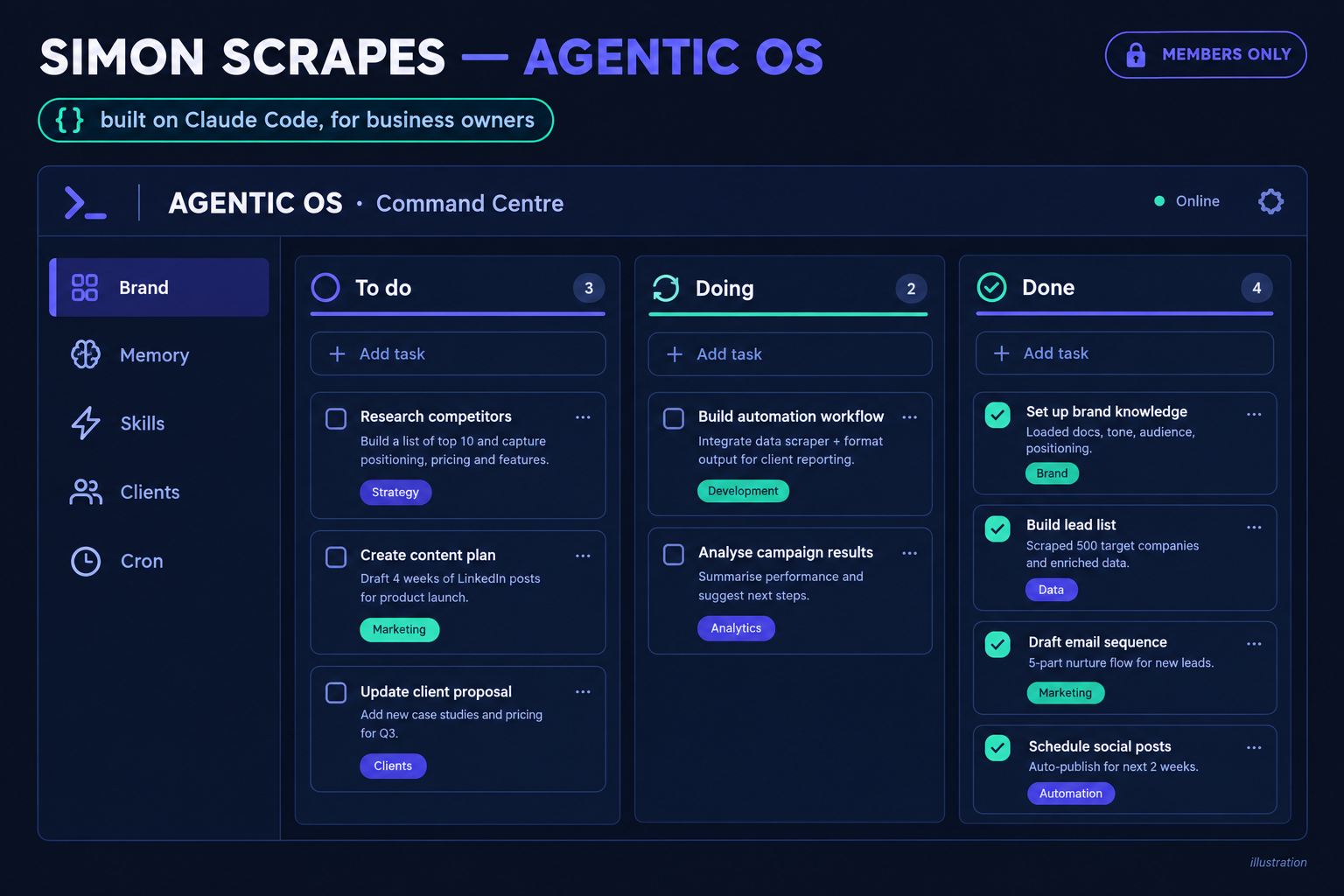
Illustration.
At a glance
The Agentic OS from Simon Scrapes is the paid option: a private repository you get through his Agentic Academy community (a monthly or annual membership). It's built on Claude Code for business owners rather than developers, with brand files, a personality file, a curated memory, 26 skills covering marketing, strategy and operations, scheduled jobs that "run autonomously" since version 1.1.4, and a local Command Centre dashboard.
It handles several clients from one install, but that's one operator managing many clients, not many people sharing it. His "Team OS" is in beta, and we haven't been able to verify how it works, so its multi-user and permissions marks are unconfirmed.
Best for: non-developers who want a finished, supported system rather than building their own.
Official video from the maker.
6. Gemini Spark
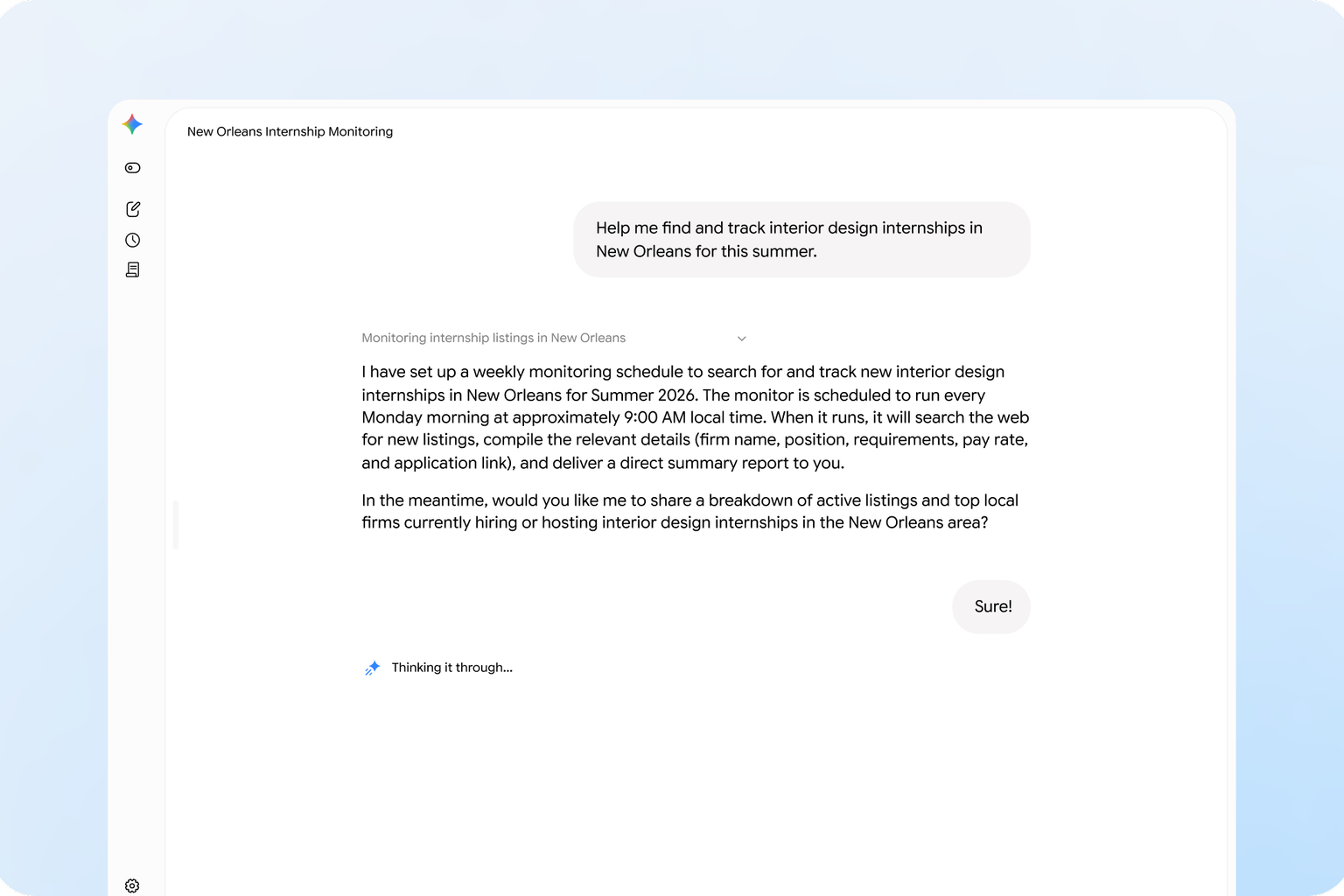
Real screen. Source: Google's Gemini Spark page.
At a glance
Google announced Gemini Spark at its I/O conference on 19 May. It started with testers and a beta for Google AI Ultra subscribers in the US, and now comes with Google AI Pro ($19.99 a month) and Ultra. Google calls it "Your 24/7 personal AI agent", and it works in the background "even if your phone and laptop are turned off." It connects to Gmail, Calendar, Drive, Docs and other Google apps (those connections are off until you turn them on), and you can save reusable instructions for jobs you repeat.
It's designed to check with you before major actions. But Google's own help page is candid about the limit: if a scheduled task runs while you're offline, you may not be able to stop an unintended action. It isn't offered in the UK, the European Economic Area or Switzerland.
Official page: gemini.google/overview/agent/spark
Best for: people who live in Gmail, Calendar and Docs and want an assistant with no setup.
Official video from the maker.
7. Meta Muse
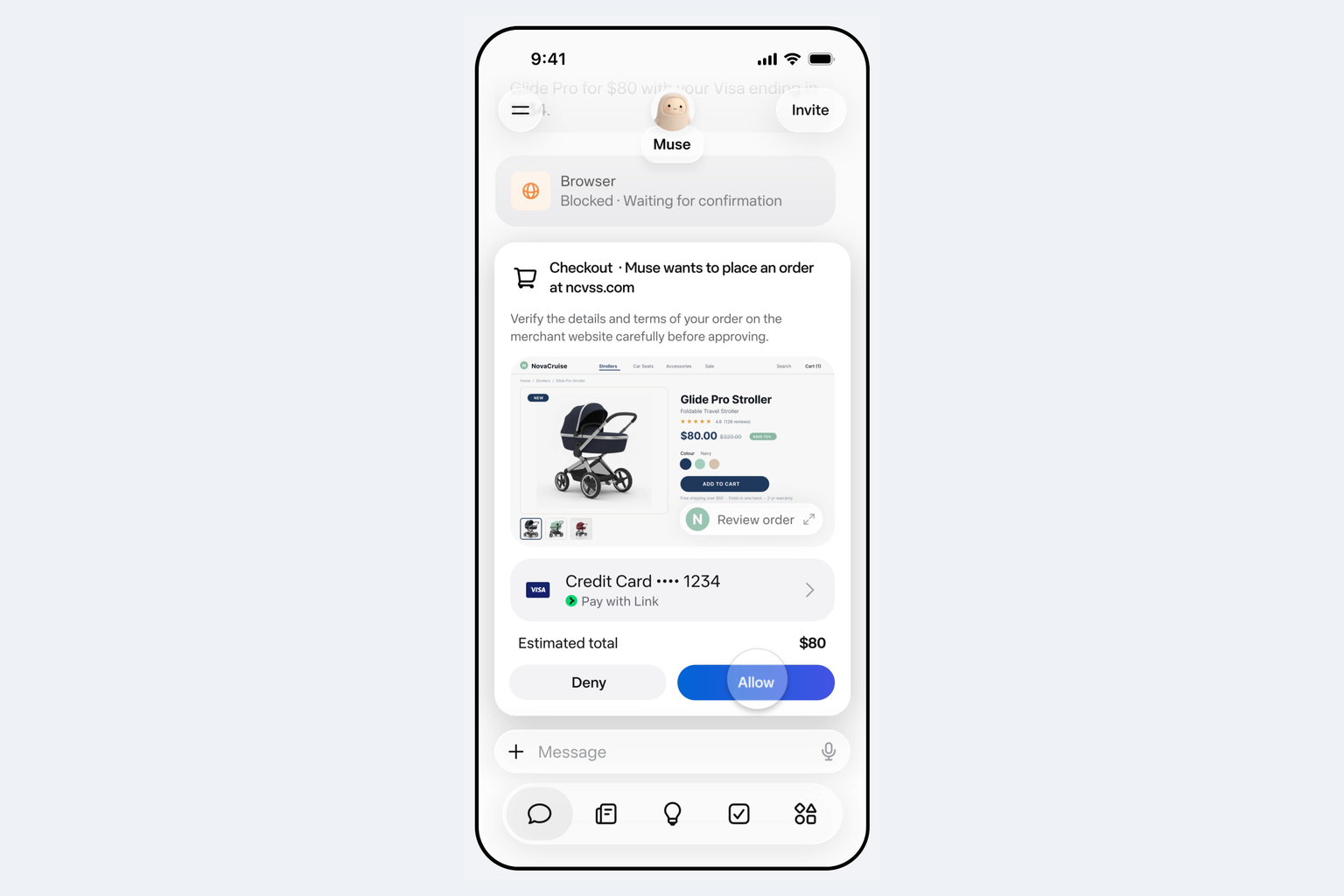
Real screen. Source: Meta's Muse launch post.
At a glance
Meta launched Muse in the US on 8 September, on iOS, Android, muse.ai and WhatsApp, and it's now in the US and Canada. It's free with a usage limit, or $20 a month (Power) and $100 a month (Maximum) for more. It's the most clearly aimed at non-technical people of the six.
It also has the most thought-through safety design. Each person's Muse runs on a "Muse Secure VM", a dedicated virtual machine that holds the agent and the person's data. And "A separate Sentinel agent runs on that same machine, kept apart from Muse at the system level": nothing Muse does reaches the internet unless the Sentinel approves it. Under the hood it does more than it shows: Meta's security page says it "launches swarms of subagents" and builds its own tools. A small-business version, launched on 29 September, connects Muse to a company's Facebook Pages, Meta ad accounts, Shopify and more.
Official announcement: about.fb.com
Best for: non-technical people in the US or Canada who want the strongest guardrails of the ready-made options.
Official video from the maker.
8. Cue
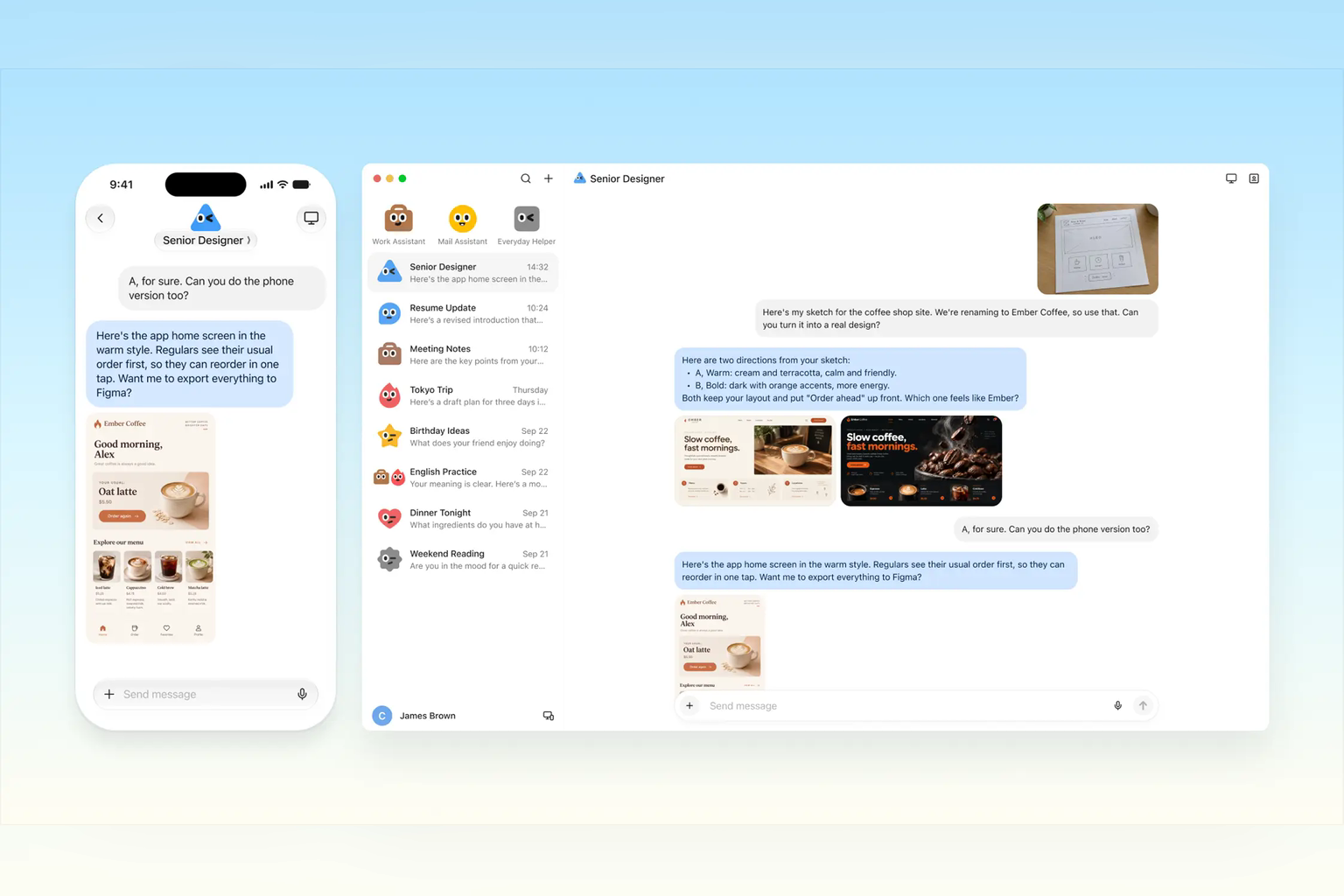
Real screen. Source: cue.im.
At a glance
Manus launched Cue on 28 September, a new app for your personal agents on phone and desktop. It goes further than the others in giving an agent a life of its own: "In Cue, each agent has its own email, phone number, wallet, and computer, so it can send messages, pay within the budget you set, and see a task through on its own machine." You choose what it can access and which actions need your approval.
You can also "Put several agents in a group chat with a shared goal, and they hand work to each other." It's in early access and free with an invite code.
Why provisional: Cue has no help or documentation pages yet. Manus hasn't published how its memory works, which model it uses or where it's available, so memory is marked ✗ (not documented) and we'll revisit this placement once it has.
Official announcement: manus.im/blog/introducing-manus-2-0
Best for: early adopters who want an agent that can message and pay on their behalf, inside a budget.
Official video from the maker.
9. OpenAI dots
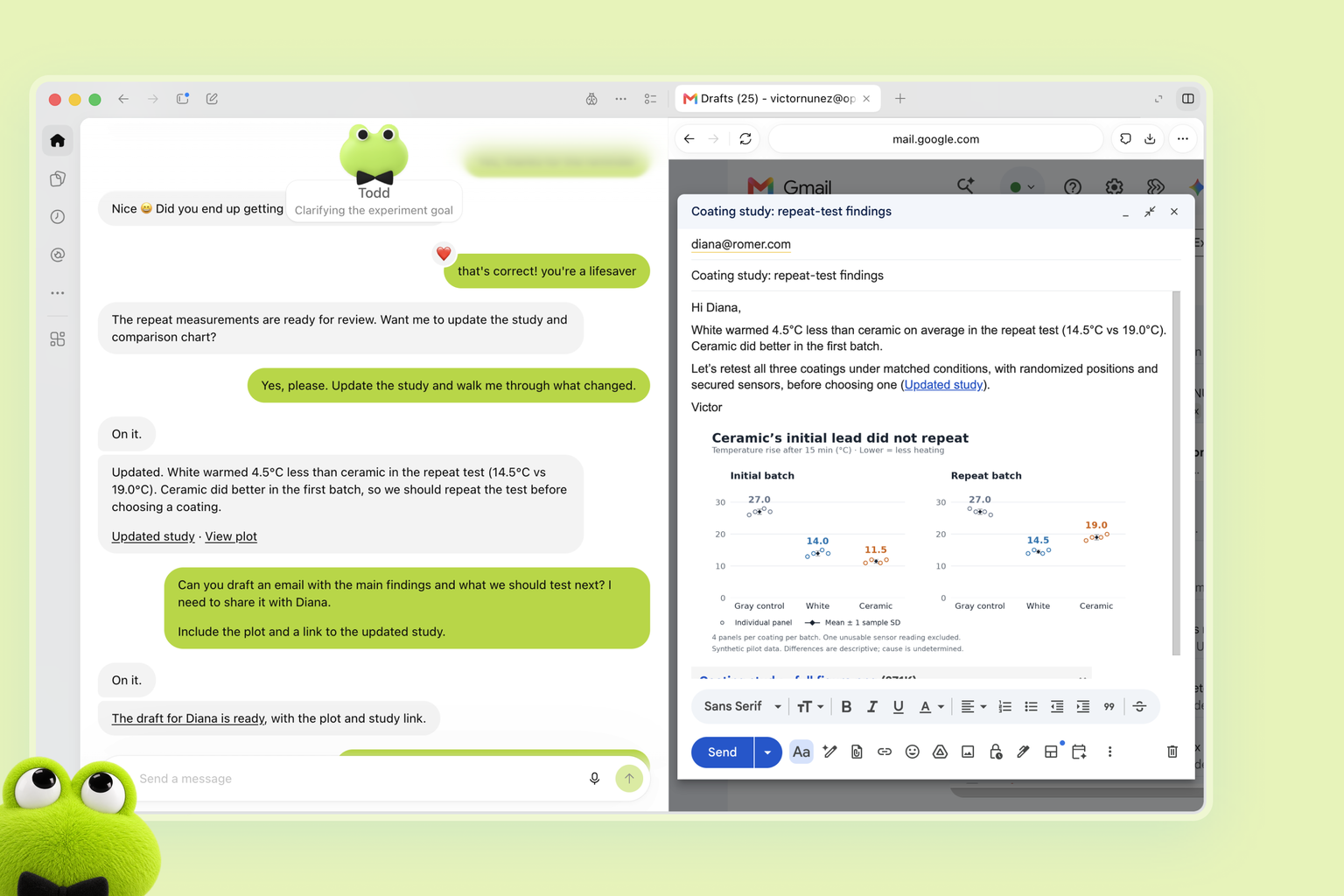
Real screen. Source: OpenAI's dots announcement.
At a glance
OpenAI announced dots at its developer day on 29 September. In its words: "Powered by GPT‑6 Astra, they have their own cloud computer, learn from feedback over time, and can work towards your goals 24/7." Your first dot "is included in your Pro or Business Premium plan at no extra cost", and ChatGPT Pro starts at $100 a month.
A dot builds on your existing ChatGPT memories, connects to your apps through plugins, and works in ChatGPT, Slack and Teams. Custom Rules decide how far it goes on its own, from acting without asking to handing the task back to you. It's rolling out "in markets excluding the European Economic Area, Switzerland, and the UK."
Official announcement: openai.com/index/introducing-dots
Best for: heavy ChatGPT users already on a Pro or Business plan.
Official video from the maker.
10. Claude Cowork
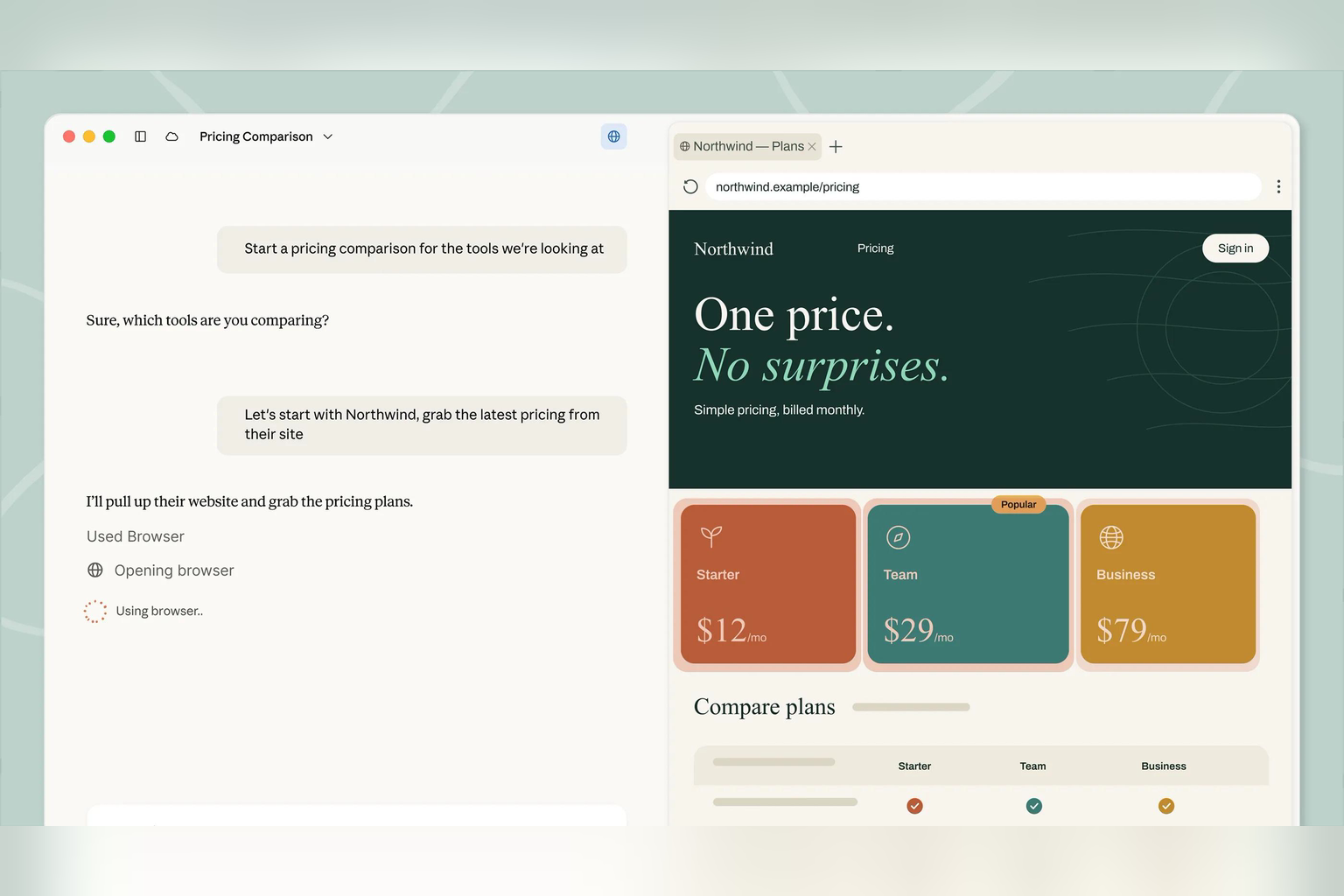
Real screen. Source: Anthropic's Cowork page.
At a glance
Cowork is Anthropic's agent for office work, with no terminal involved. Anthropic's own guide is direct about what that means: "Claude has access to the local files you grant it permission to access, and can take real actions on your behalf." It launched as a research preview in January, and on 16 September Anthropic merged Cowork and chat into one Claude, rolling out to Pro and Max plans.
Plugins bundle skills, connectors and sub-agents, and Anthropic says "Claude breaks complex work into smaller tasks and coordinates parallel workstreams to complete them." Tasks can run on a schedule, approval modes range from asking every time to acting on its own, and "Project sharing is available on Team and Enterprise plans", with view or edit access per person. Claude Pro costs $20 a month billed monthly. Of the six, it's the only one confirmed for the UK.
Official announcement: claude.com/blog/cowork-is-now-claude
Best for: office workers who want an agent on their own documents, and UK readers who can't get the others yet.
Official video from the maker.
11. Claude Projects
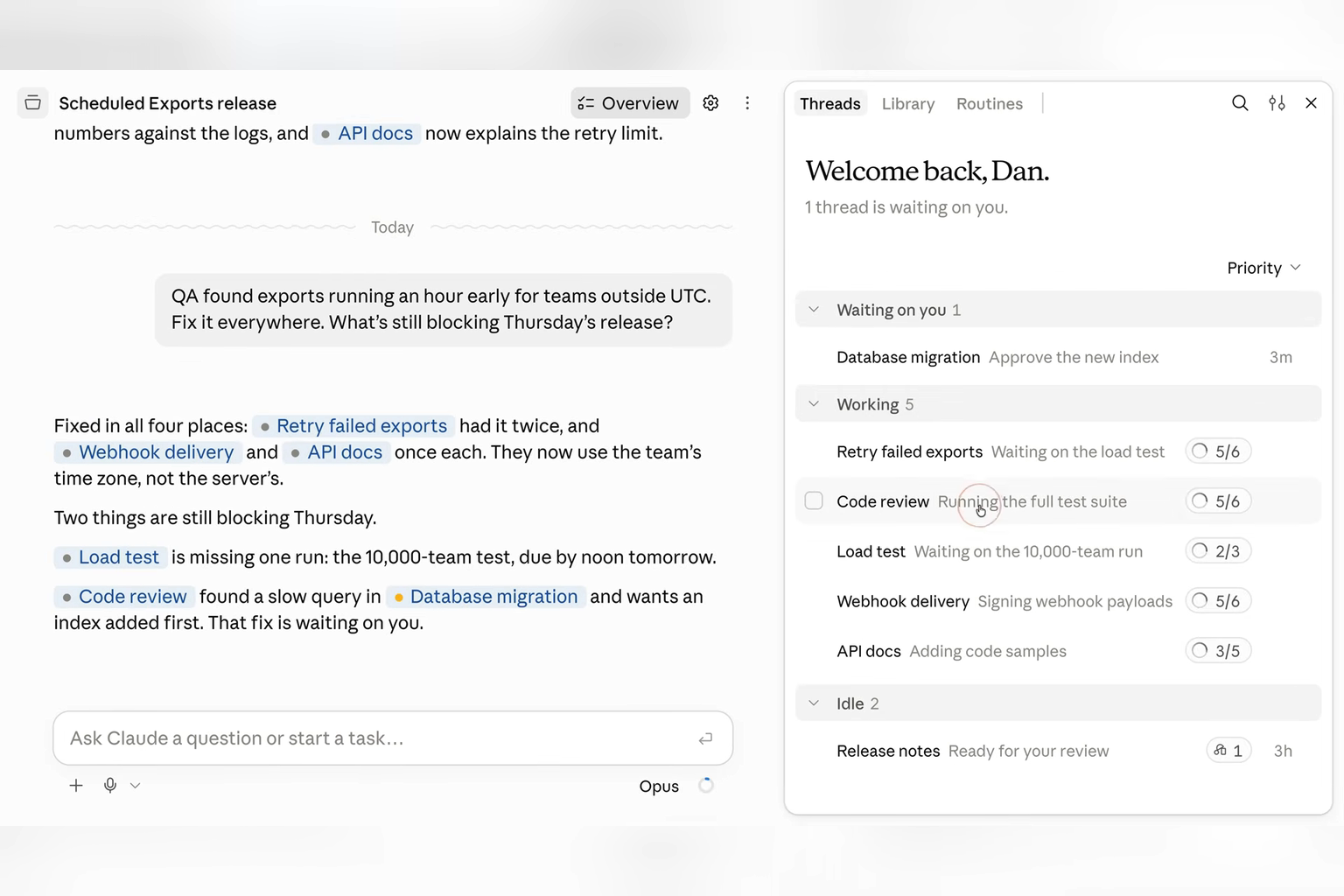
Real screen. Source: Claude official video (0:19).
At a glance
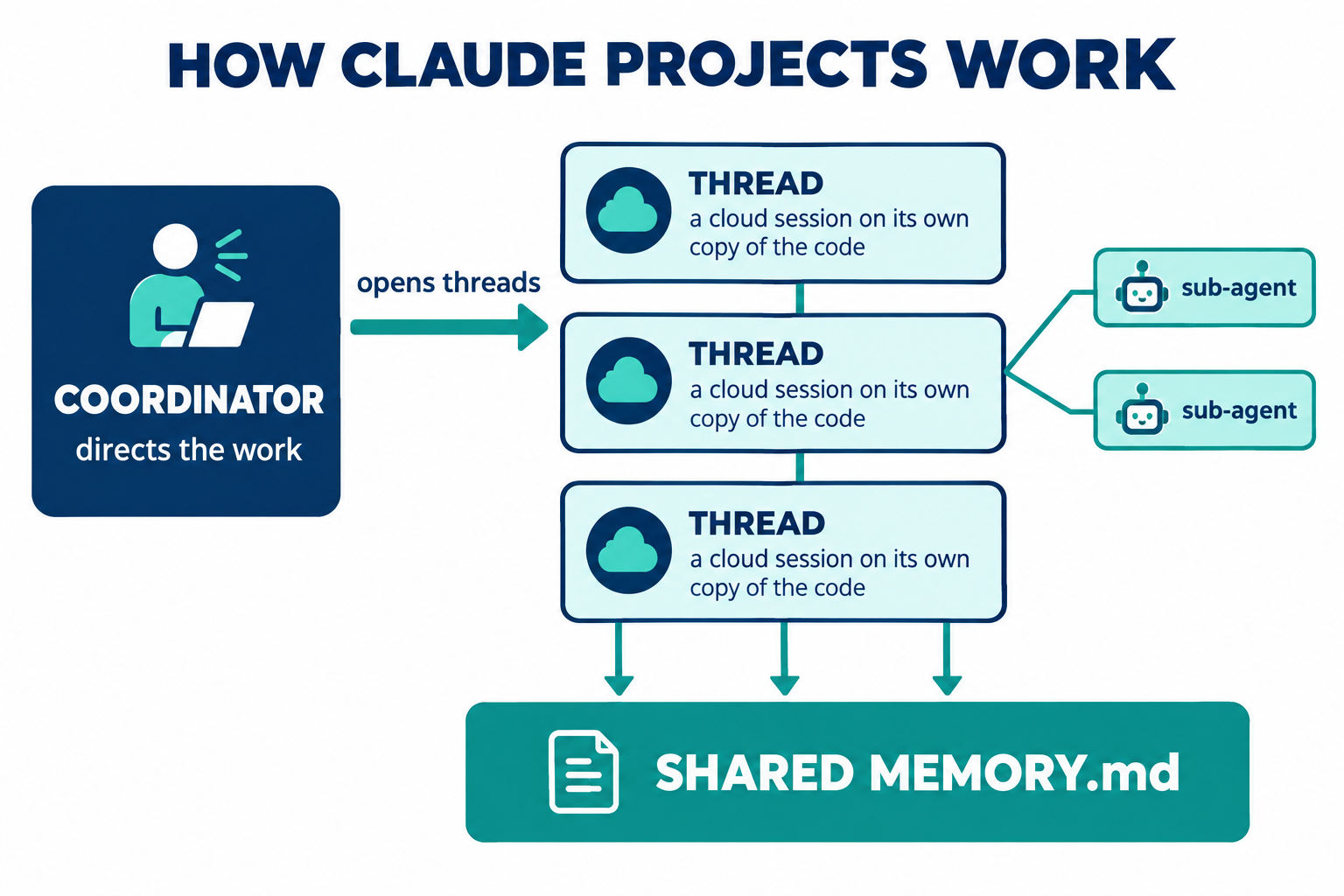
This is the redesign that started all the fuss. Announced on 17 September, it turns a project into a single long-running conversation: "Projects have threads that do the work and a coordinator that directs them." You brief the coordinator like a team lead, and it opens threads to do the work. Each thread is usually a session running on Anthropic's servers, working on its own copy of the code, and they keep going after you close your laptop.
Each cloud thread also starts with the project's knowledge already loaded: its written instructions, the CLAUDE.md files from its code (the instruction files Claude Code reads at the start of every session), their skills, and a shared MEMORY.md index of what the project has learned.
So it has orchestration and unattended work, the Tier 3 features. What it doesn't have yet is the reach. It's in a beta for Pro and Max plans, there are "no organization-level controls", and "A project belongs to one user. You can't share a project."
It's also where most of the excitement gets it wrong. The two features people are most excited about, a search layer over project files and team permissions, belong to the older chat Projects, not this redesign. We cover what actually shipped below.
Official docs: code.claude.com/docs/en/claude-projects
Best for: Claude Code users who want to hand off bigger jobs and let them run in parallel.
Official video from the maker.
12. OpenClaw
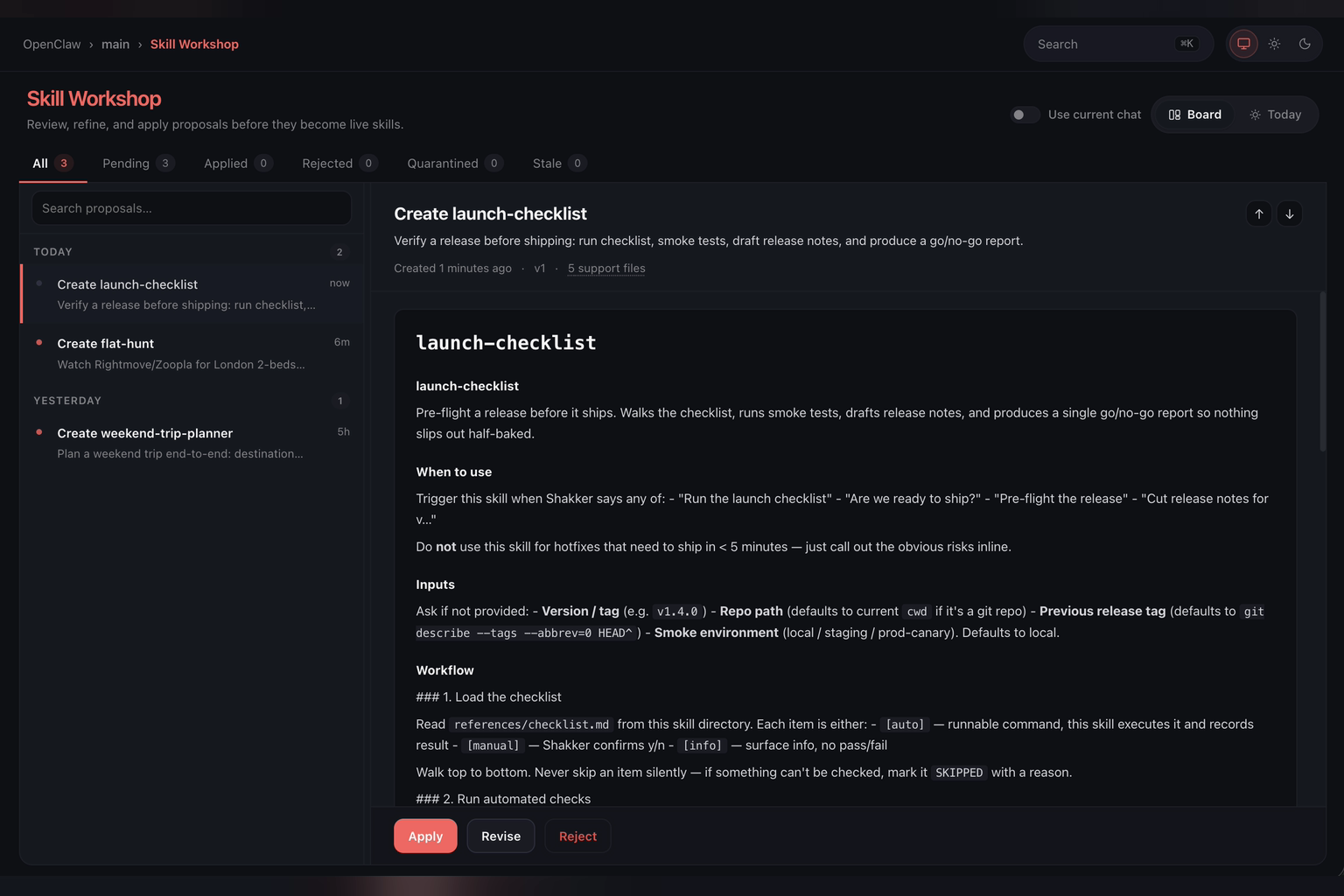
Real screen. Source: OpenClaw blog.
At a glance
OpenClaw is the giant of the category, with 391,182 stars, an MIT licence and, in its own words, "no paid tier, hosted service, or token." Peter Steinberger built it as a personal assistant that runs on your own hardware and lives in your chat apps, with a personality file, Markdown memory, skills, scheduled automations and sub-agents.
It has also gone further than most toward teams. Its multi-user mode "lets several trusted people operate the same OpenClaw agent", with shared sessions "the whole team can open, steer, and take over" and named roles. That's the Tier 4 idea. But the same page says "A gateway is one trust domain." Everyone on the team is trusted with everything, which is fine for three co-founders and risky for a company. We come back to why in the security section.
Official project: github.com/openclaw/openclaw
Best for: a single power user, or a small team that fully trusts each other.
Official video from the maker.
13. Grok Bot
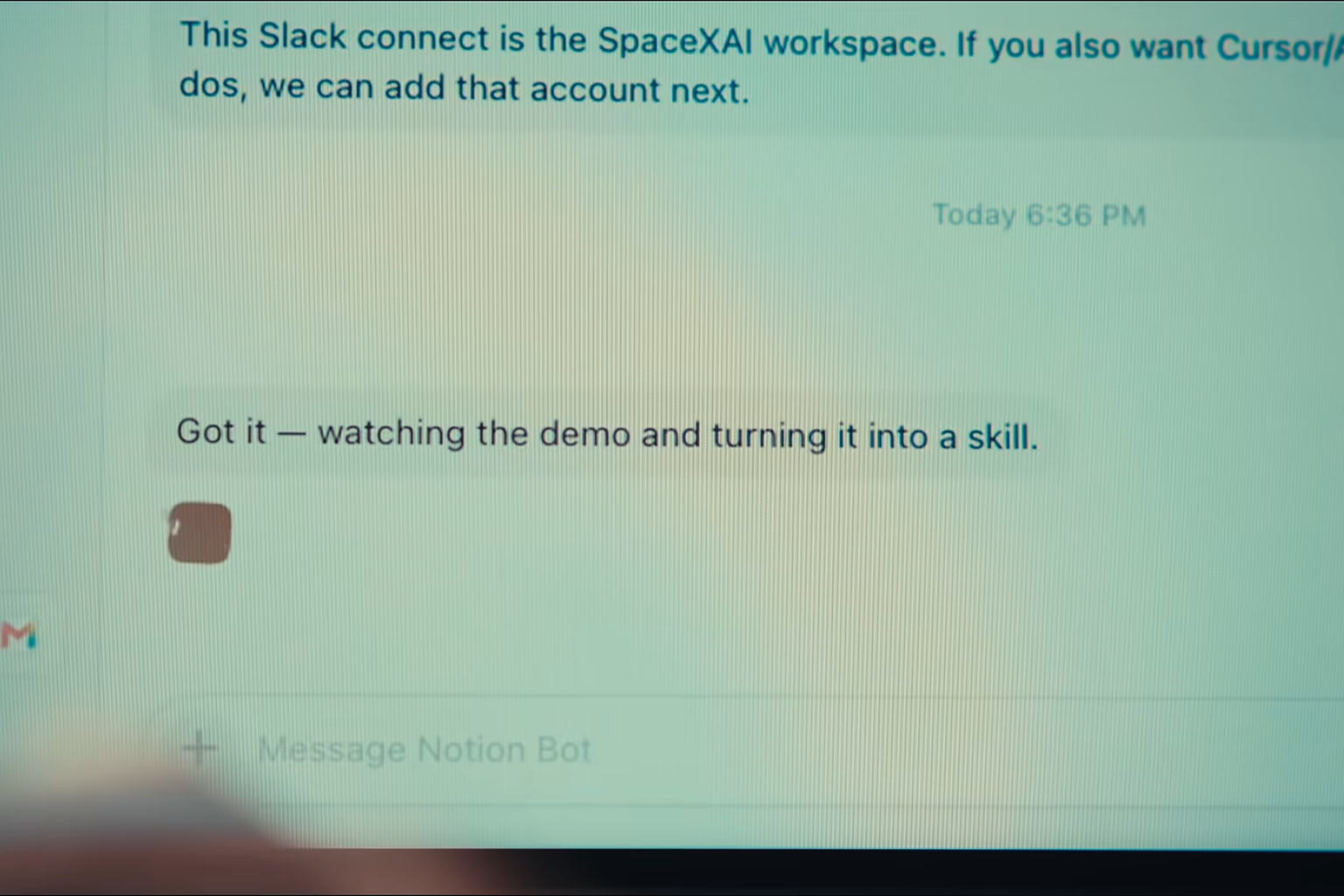
Real screen. Source: xAI official video (0:36).
At a glance
xAI launched Grok Bot in beta on 11 August. It comes with SuperGrok ($30 a month) or a paid Cursor plan, and you reach it from desktop and mobile apps. Each named Bot keeps its own memory, files and preferences, can pick up a skill by watching you do a task once, and runs routines on a schedule or when something happens.
The catch is in xAI's own security documentation: "All of your Bots share one cloud computer assigned to your user account." The files, browser sessions and logins on it are available to every Bot, so separate Bots don't keep work apart.
Grok Bot is also the only ready-made option built to be shared. "A Team Bot is one Bot that your whole team talks to." Only its owner can change its setup, admins choose which groups can use it, and xAI says "A Team Bot never lends one person's access to another." Bots can also run in parallel and pass work to each other.
Official announcement: x.ai/news/introducing-grok-bot
Best for: power users and developers already paying for SuperGrok or Cursor.
Official video from the maker.
14. HAL
A simulated HAL session — illustration.
At a glance
HAL is the AI infrastructure I built to run StationX, and it's our worked example of Tier 3. It runs on Claude Code, but over the years it has been plugged into real systems: it manages cloud infrastructure across 6 providers and controls more than 108 tool integrations. Around 80% of a company serving half a million customers now runs through it. It scans our servers and code for vulnerabilities every week, ranks what it finds, reports into Slack, publishes content, and runs our sales and billing workflows.
Take one job it runs end to end. I point it at the open-source WordPress plugins that power much of the web, and it works through them hunting for security holes, across a pool of tens of thousands of plugins. When it finds one, it doesn't just flag it. It proves the hole is real by exploiting it on a safe test site, then produces a short video that shows the attack happening step by step. Finding the bug, proving it and packaging the proof used to be three separate jobs for a security researcher. HAL does the whole chain, and it has turned up real zero-day vulnerabilities: flaws the software's own makers didn't know were there.
It does the other side of the business too. Most of what you're reading right now came through HAL: the research behind our YouTube videos and articles, the thumbnails, the social posts, and the course and training material. One system runs the security work and the content work, because both are just workflows I've taught it.
The governance is what makes that safe enough to do. Hooks block dangerous commands before they run, every change to production needs a named approval, and a panel of AI reviewers from different model families checks code before it ships.
HAL is mine, which makes it a single-user system. It's the most powerful thing on this list for one person, and the next tier is about what happens when it isn't just one person. You can read how HAL works.
15. Paperclip
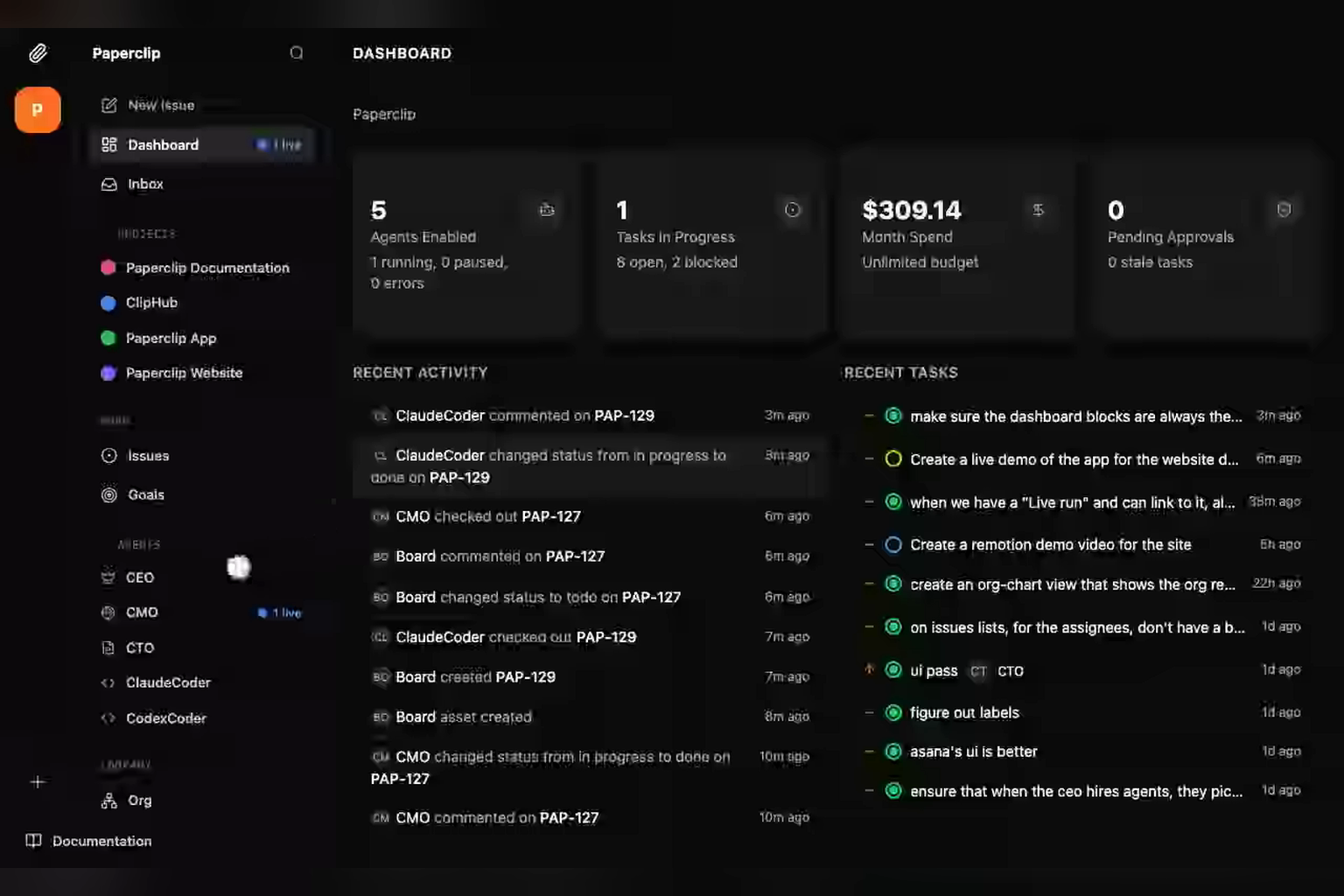
Real screen. Source: Paperclip README demo.
At a glance
Paperclip (MIT, 95,962 stars) sits a level above the personal assistants. Its README puts it neatly: "If OpenClaw is an employee, Paperclip is the company." It "orchestrates a team of AI agents to run a business": agents get job titles and a boss, recurring tasks run on schedules, and humans approve work with budget hard-stops.
Switch on its authenticated mode and it supports "Multiple Human Users" with roles and permissions, which is Tier 4 territory. Out of the box, though, it's "Optimized for single-operator local use." Its own memory layer is still on the roadmap.
Official project: github.com/paperclipai/paperclip
Best for: founders who want to run a company of agents with a human board on top.
16. Hosted HAL
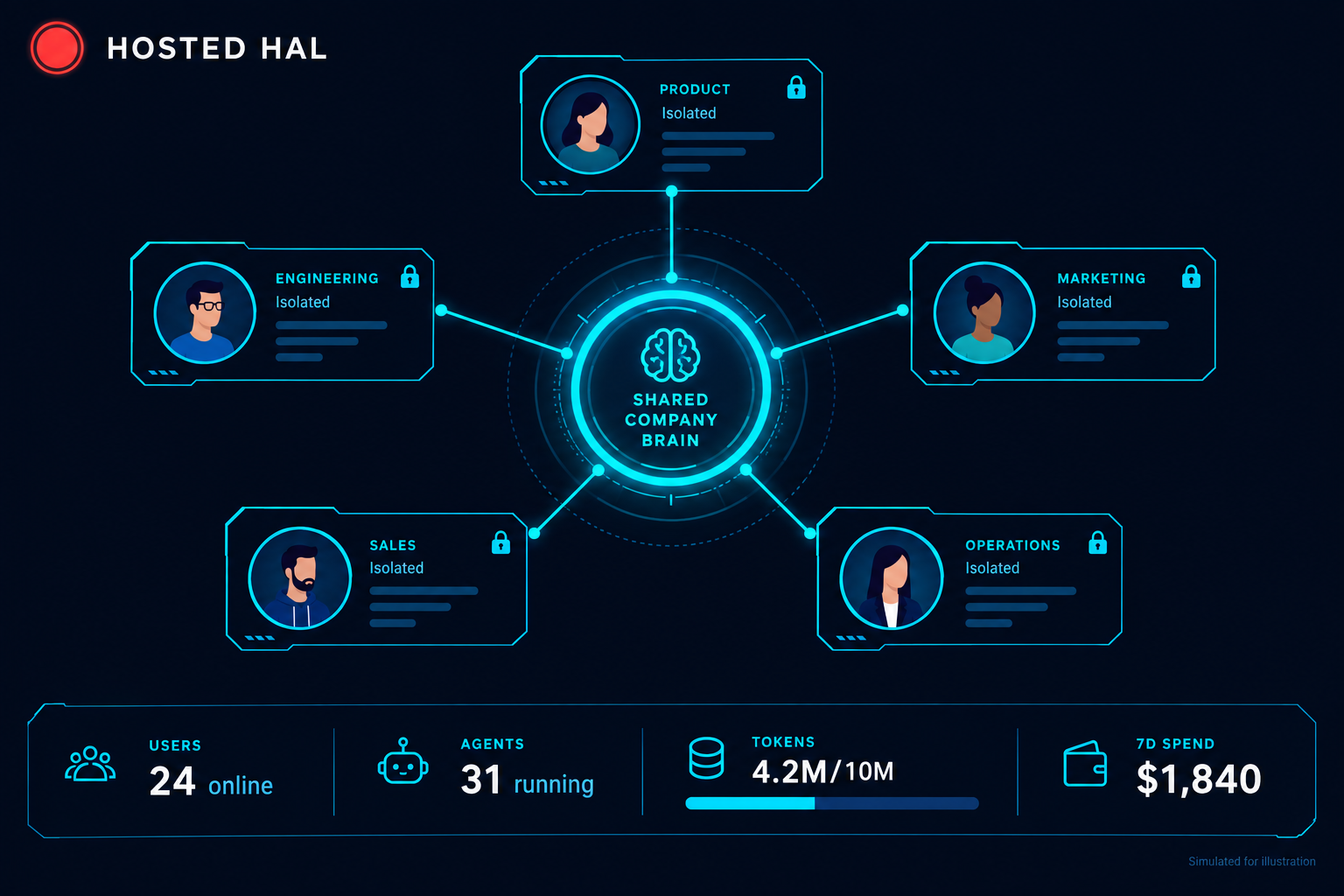
Illustration.
At a glance
Hosted HAL is how we took HAL from one person to a team. It runs on our server, and each of our 20 to 30 users gets their own isolated workspace running Claude Code, with the shared StationX company context loaded by default: our standards, our commands, our skills and how we do things.
The shared part is curated. When someone builds a useful skill, it goes through a review and approval step and is then distributed to everyone. And the separation is deliberate: users can't see each other's data, and staff and customers see separate catalogues.
Content is the clearest example. A team member producing a video or an article doesn't need to read a document about how we do it, or ask the person who wrote the last one. They run a command, and the shared context already knows our research method, our thumbnail style and our house voice. The work compounds across the team instead of being trapped on one person's laptop.
Best for: this one isn't for sale. It's the shape we think every AI-native business will need.
| Product | Tier | Kind | Users | Price | Licence |
|---|---|---|---|---|---|
| gstack | 1 add-on | Build | One | Free | MIT |
| LifeOS (was PAI) | 2 | Build | One | Free | MIT |
| NanoClaw | 2 | Build | One (roles) | Free | MIT |
| Hermes Agent | 2 | Build | One | Free | MIT |
| Simon's Agentic OS | 2 | Build | One operator | Paid membership | Closed |
| Gemini Spark | 2 | Ready-made | One | Google AI Pro, $19.99/mo | Proprietary |
| Meta Muse | 2 | Ready-made | One | Free, or $20 / $100 | Proprietary |
| Cue | 2 | Ready-made | One | Free (invite) | Proprietary |
| OpenAI dots | 2 | Ready-made | One | ChatGPT Pro, from $100/mo | Proprietary |
| Claude Cowork | 2 | Ready-made | One (shared projects on Team) | Claude Pro, $20/mo | Proprietary |
| Claude Projects | 2 → 3 | Build | One | In Pro / Max | Proprietary |
| OpenClaw | 2 → 4 | Build | One or small team | Free | MIT |
| Grok Bot | 2 → 4 | Ready-made | One, or a team (Team Bots) | SuperGrok, $30/mo | Proprietary |
| HAL | 3 | Build | One | Not for sale | Private |
| Paperclip | 3 → 4 | Build | Team (auth mode) | Free self-host | MIT |
| Hosted HAL | 4 | Build | 20–30 team | Not for sale | Private |
Which Kind of Assistant Is Right for You?
The ready-made assistants all do roughly the same things, so the choice comes down to what each one can reach and who is accountable when it reaches too far. Take a small-business owner who wants an agent to chase unpaid invoices. With Muse, Meta runs the computer, a separate Sentinel checks every request to the internet, and the agent asks before it sends anything. That's the easy route, and it's only available in the US and Canada. Run Hermes Agent on your own server and the invoices stay with you, apart from what you send to the AI model you connect. But if its approval prompts are switched off, nothing stops it emailing the wrong customer. Neither answer is wrong. They put the risk in different places.
For readers in the UK, the first question is simpler: dots, Gemini Spark and Muse aren't offered here yet, so Claude Cowork or a build-it-yourself option are the realistic starting points.
Work accounts are heading somewhere else again. Microsoft's Copilot Autopilot, previously called Scout, was due to move into private preview at the end of September, and Microsoft says it "lives in your tenant with its own identity, memory, computer and workspace": the company owns the agent, not you.
So instead of picking from a list of features, ask who runs the computer, who picks the model, whether you need a terminal, and who carries the blame when it goes wrong. The table puts the four kinds side by side.
| Kind | Examples | You get | You give up |
|---|---|---|---|
| Ready-made (no setup) | Muse, Gemini Spark, dots, Grok Bot, Cue, Claude Cowork | Sign up and go. The vendor runs the computer, picks the model and sets the guardrails | Control. Your email, files and accounts sit on the vendor's computer, and many aren't in the UK yet |
| Managed by your employer | Microsoft Copilot Autopilot, Muse for Small Business | An agent your IT team switches on, with company controls and audit logs | You can't take it with you, and it only knows work |
| Hosted open source | Hermes Agent on Nous's cloud | Open-source software someone else runs, with the model of your choice | You still own the permission settings, and pay for the model on top |
| Build or run it yourself | OpenClaw, Hermes Agent, NanoClaw, LifeOS, Paperclip | Full control: your machine, your model, your rules, and it works anywhere | You do the security: network exposure, which skills you trust, approval settings |
Back to the invoices: on Muse, a wrong email waits for your tap on Allow. On a self-hosted agent with approvals off, it has already gone.
Claude Projects: What Anthropic Actually Shipped
Because Projects got the most attention, it's worth being precise. This is what Anthropic's own documentation and announcement say, as of 2 October.
| Claim you may have heard | What the docs say |
|---|---|
| One conversation directs the work | Correct. A coordinator directs threads that do the work. |
| Threads keep running after you close your laptop | Correct for cloud threads. Local threads run only while that computer is awake. |
| Threads load your CLAUDE.md, skills and plugins | Partly. CLAUDE.md and skills load from the project's repositories. Plugins declared in a repository don't; you add them in project settings. |
| Projects search your files when they're too big for context | That's the older chat Projects. The redesign's documentation doesn't mention it. |
| You can share projects with your team, with view or edit access | Also the older Projects. The redesign is single-user and not yet on Team or Enterprise plans. |
A few details nobody mentioned. There's no separate price, but it burns through your normal plan limits faster, because every running thread is a full session. There's a hard limit of 200 new threads a day. New projects default to Opus for everything. And idle threads that are watching a pull request (a proposed code change waiting for review) wake up, and spend again, when a test fails or a review comment lands.
The Best OpenClaw Alternatives, by What You Need
If you came here looking for OpenClaw alternatives, the right choice depends on what you want the assistant to do.
| If you want… | Look at |
|---|---|
| An assistant that learns and writes its own skills | Hermes Agent |
| Strong containment, every agent in its own container | NanoClaw |
| A deeply personal assistant built around your life and goals | LifeOS |
| A finished system with support, for a non-technical business owner | Simon Scrapes' Agentic OS |
| Parallel work inside Claude Code, with nothing to install | Claude Projects |
| A company of agents with human approval on top | Paperclip |
| No setup at all | Meta Muse, Gemini Spark or OpenAI dots (not in the UK yet), or Claude Cowork in the UK |
From Personal AI to Company Brain: AI Is Going Multiplayer
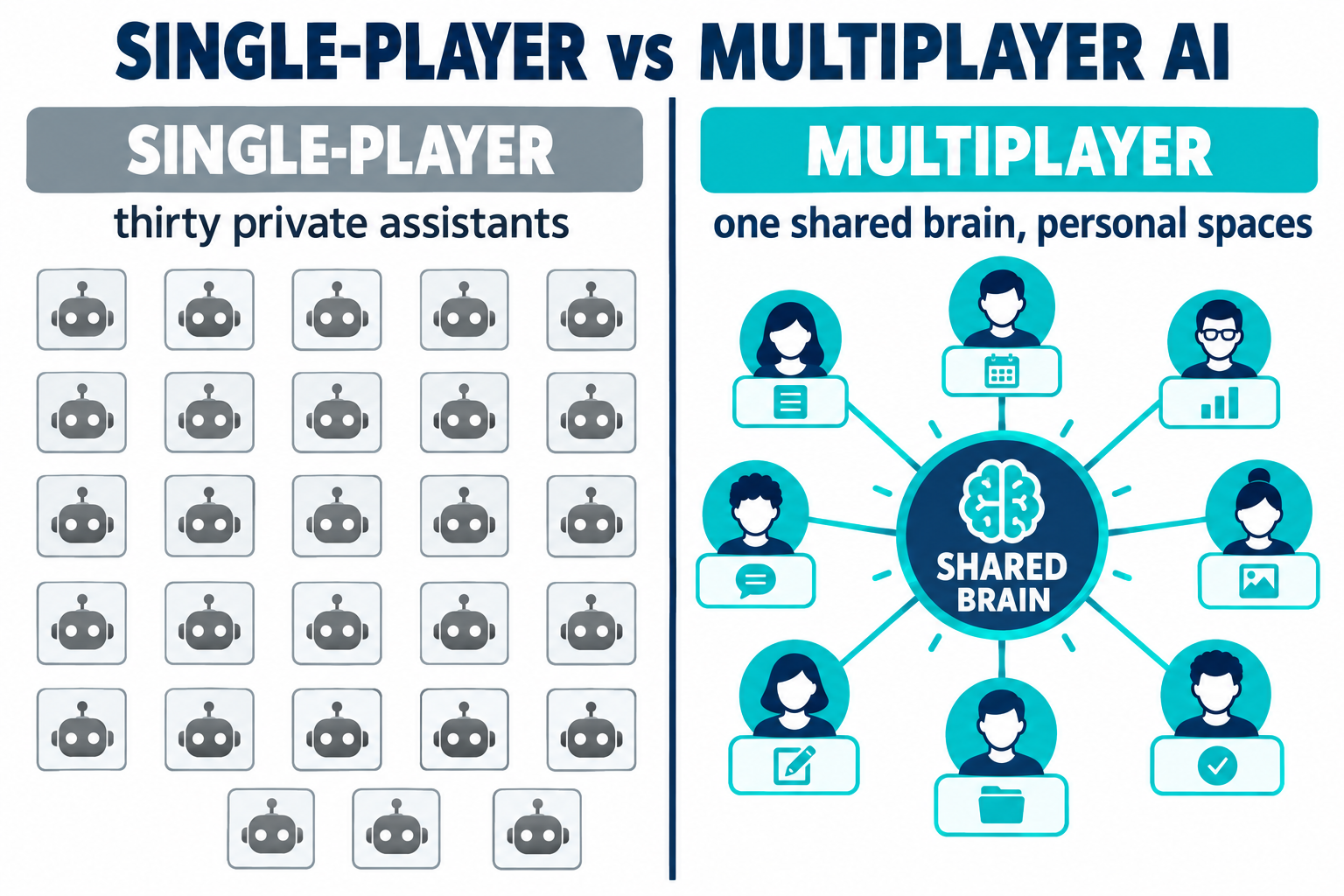
Look at the list again and a pattern jumps out. Almost everything is single-user. Hermes calls itself "single-tenant". NanoClaw is "Built for the individual user". Anthropic's Projects belong to "one user". Even OpenClaw's team mode is "one trust domain". The ready-made assistants are mostly the same: Muse, Spark and Cue are built for one person. Grok Bot's Team Bots are the clearest ready-made exception.
The people funding the next wave of companies have noticed. Y Combinator's current Requests for Startups includes "Multiplayer AI", and the description could be a summary of this article: "AI agents are the most powerful new tool a team has, but it's the one thing people still use by themselves." Right now, it says, "working with AI is largely single-player", and the goal is to turn a team's agent work into "a shared, living thing instead of a thousand private threads."
The large vendors are already moving. OpenAI launched Frontier in February, "a new platform that helps enterprises build, deploy, and manage AI agents that can do real work." It connects a company's data warehouses, CRM and ticketing tools so that "It becomes a semantic layer for the enterprise that all AI coworkers can reference" (a semantic layer is one shared map of what the company's data means), and "Each AI coworker has its own identity, with explicit permissions and guardrails." At its developer day on 29 September, OpenAI added ChatGPT Space, where "teammates, ChatGPT, and your dot can build on shared knowledge".
| Platform | Who it's for | Price |
|---|---|---|
| OpenAI Frontier | Large enterprises (first adopters include HP, Intuit, Oracle, State Farm, Thermo Fisher and Uber) | Through sales only |
| Microsoft Agent 365 | Microsoft 365 companies managing their agents | $15 per user per month, or in the $99 E7 bundle |
| Google Gemini Enterprise | Google Workspace companies | From $21 per seat per month |
| Claude Enterprise | Teams on Claude | $20 per seat per month plus usage, billed annually, minimum 20 seats; strong admin controls, but the redesigned Projects with their shared memory aren't on Team or Enterprise plans yet |
So the enterprise route to Tier 4 already exists, mostly aimed at large organisations and sold through sales teams. But you don't have to be one of them. The open-source route is taking shape for everyone else: Garry Tan's GBrain memory layer (30,490 stars) says "It works as a company brain too", and in company mode, "The whole team queries the same brain."
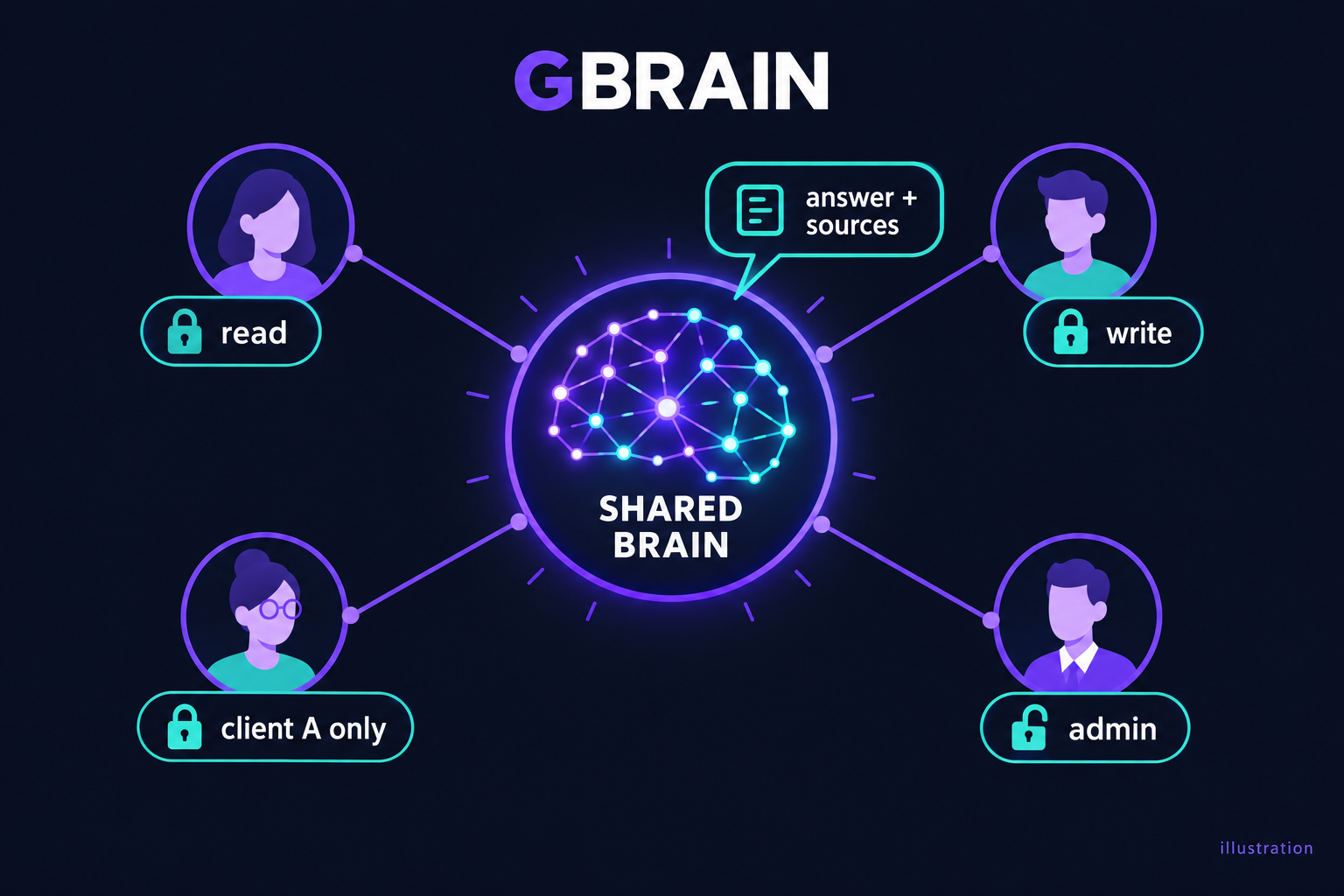
Illustration.
This is the same shift we wrote about in AI-driven businesses. Y Combinator's Diana Hu put it bluntly: AI "should not be a tool your company just uses. It should be the operating system your company runs on." To do that, "you will need to make your entire company queryable." A company can't become AI-native on thirty private assistants that don't know what each other knows. It needs a shared brain, and that's Tier 4.
What Changes for Security When Agents Are Shared
This is the part most guides skip, and it's where StationX readers have an edge.
A single-user assistant has one trust boundary: you. If it reads a malicious web page or email and gets tricked by a hidden instruction (prompt injection), the damage is limited to what you can access. Share that assistant with a team and the boundary moves.
One trust domain means one blast radius. On OpenClaw's team gateway, anyone who can steer the agent can reach everything it can reach. A prompt injection through one person's inbox can act with the whole team's access.
Shared memory spreads bad data. NanoClaw warns that information "will cross-pollinate" between people in a group. If an attacker can plant a false "fact" in shared memory, every user's assistant now believes it.
Scoping is only as good as its weakest path. GBrain's company mode scopes access per user, but its own docs note that "OAuth source scoping only guards the HTTP MCP path." In plain terms, its permission checks cover one way in (the standard connector route) and not the others, so other paths to the same data aren't covered.
Autonomy multiplies cost and risk. Claude Projects threads run in auto mode by default and wake on their own when tests fail, and there are no organisation-level controls yet.
The ready-made assistants move the boundary in a different way. When the vendor runs the computer, you're trusting the vendor's design, and those designs are new.
Several agents can mean one computer. xAI's own documentation says all of your Grok Bots share one cloud computer, with the same files, browser sessions and logins, and warns: "Do not use separate Bots as a security boundary." Splitting work across bots doesn't keep it apart.
"Ask first" doesn't stop prompt injection. In January, while Cowork was still a research preview, security firm PromptArmor showed that a document with hidden instructions could make Claude Cowork upload a user's files to an attacker. In its words: "At no point in this process is human approval required." Approval prompts only cover the actions the vendor thought to guard.
Run it yourself and the hardening is yours. OpenClaw patched a one-click flaw that let an attacker steal its access token (CVE-2026-25253, rated 8.8 out of 10), and its own team admits that scanning skills "won't catch everything." Hermes Agent lets you switch its approval prompts off with one setting, leaving only a hard blocklist of catastrophic commands.
This is the part we took seriously when we built Hosted HAL as a shared system. Each person gets an isolated workspace, so users can't see each other's data, and staff and customers are kept to separate catalogues with no overlap. A shared brain doesn't have to mean a shared blast radius, but you only get that by designing the boundaries in.
None of this is a reason to avoid shared AI. It's the job description for the people who'll secure it: identity for every agent, per-user permissions, memory that records where each fact came from, and audit logs. The controls that keep an agent in bounds are the same ones we cover in our guides to AI guardrails and an AI governance framework. Frontier and Agent 365 are selling exactly those controls, which tells you where the work is going.
Which Tier Should You Build?
For most of us, the answer for the next few months is somewhere between Tier 2 and Tier 3. Build enough of a personal AI to feel what memory and skills do for you. Then start connecting it to the systems you actually work with, with proper guardrails, once you've felt the difference.
If you're not technical, a ready-made assistant is a fine first step, as long as it's offered where you live and you're careful about which accounts you connect. Start with low-stakes accounts, not your company email or your bank.
If you are technical, you don't need any of the products above to do that. Claude Code already gives you the harness, and memory, skills and hooks are files you can write today. The products are worth studying for their ideas: Hermes for memory, LifeOS for identity, NanoClaw for containment, Paperclip for running agents like a company.
Tier 4 is something you grow into once you have people to share it with. When you do, the companies that get there first won't be the ones with the best model. They'll be the ones whose whole team works from one brain, safely.
✅ The one thing to take away
You can now sign up for an agentic OS as easily as an email account, but the ready-made ones stop at Tier 2. The real value is the layer you build around a harness so it knows you, runs your work and, eventually, your team's. Start at Tier 2, climb to Tier 3, and treat shared Tier 4 as a design problem in security, not just a feature.
If you want to learn to build this properly — the four tiers, the memory and skills, the governance that makes it safe — that's exactly what we teach in the StationX AI Master's program. You don't start from a blank page, either: you get a copy of HAL's own skeleton, the config system that turns bare Claude Code into working infrastructure, and the packages that already solve the problems we've solved — to build on from day one rather than reinventing them.
Frequently Asked Questions
What is an agentic OS?
An AI assistant built on top of an AI agent tool, with a lasting memory, a profile of who you are and reusable skills, so it gets better at doing your work over time. It's also called personal AI, personal AI infrastructure or a second brain.
What's the difference between Meta Muse, OpenAI dots and Gemini Spark?
Very little in what they do. All three are ready-made personal agents that remember you, run on their own cloud computer around the clock, connect to your apps and ask before sending or paying. The differences are price and audience: Muse has a free tier and targets everyone, Gemini Spark comes with Google AI Pro, and a dot comes with ChatGPT Pro.
Can I use Muse, dots or Gemini Spark in the UK?
Not yet. As of October 2026, all three exclude the UK. Claude Cowork works in the UK, and the open-source options such as OpenClaw and Hermes Agent run anywhere because you host them yourself.
Is Claude Projects an agentic OS?
Partly. The 17 September 2026 redesign adds a coordinator that runs parallel threads with shared project memory, which are agentic OS features. It's currently single-user, in beta for Pro and Max plans, and has no organisation-level controls.
What is the best OpenClaw alternative?
It depends on what you need: Hermes Agent for self-improving memory, NanoClaw for container isolation, LifeOS for a personal life assistant, and Paperclip for running a team of agents. If you don't want to set anything up, the ready-made options are Meta Muse, Gemini Spark and OpenAI dots, or Claude Cowork in the UK.
Are OpenClaw and Hermes Agent free?
Yes. Both are open source under the MIT licence. You pay for the AI model you connect and for wherever you run it.
What is OpenAI Frontier?
OpenAI's enterprise platform for AI agents, launched in February 2026. It gives a company's agents shared business context, their own identities and permissions. It's available to a limited set of customers through sales.
What is a multiplayer AI agent?
An agent a whole team works with together, sharing context and handing work to each other, instead of each person using a private assistant. Y Combinator listed "Multiplayer AI" in its 2026 Requests for Startups.
About the Author

Nathan House, Founder & CEO of StationX
Nathan House has 30 years of hands-on cybersecurity experience and is Cambridge-educated, holding CISSP, CISA, CISM, OSCP, CEH, and SABSA. He founded StationX in 1999 — one of the UK’s first cybersecurity companies — and has secured £71 billion in UK mobile banking transactions and the London 2012 Olympics, advising clients including Microsoft, Cisco, BP, Vodafone, and VISA. He authored the world’s most popular cybersecurity course — a #1 Udemy bestseller taken by over 500,000 students — and was named Cyber Security Educator of the Year 2020, AI Security Educator of the Year, and a UK Top 25 Security Influencer 2025. A DEF CON speaker and featured expert on CNN, Fox News, NBC, and the BBC, Nathan leads StationX’s training of more than half a million students worldwide.