How to Find Hidden Spy Cameras: 7 Proven Methods (2026)
If you've ever walked into a hotel room or an Airbnb and wondered whether someone's watching, you're in large company. In an April 2019 survey of 2,023 Americans who'd stayed in an Airbnb, run by IPX1031, 58% said they worried about hidden cameras in their rental — and 11% said they had actually discovered one. (It was an online panel survey, so treat the exact numbers with care; the scale of the worry is the point.) So the question of how to find hidden spy cameras is worth taking seriously, and most of the advice out there skips the part that matters: which methods actually work, and which just make you feel better.
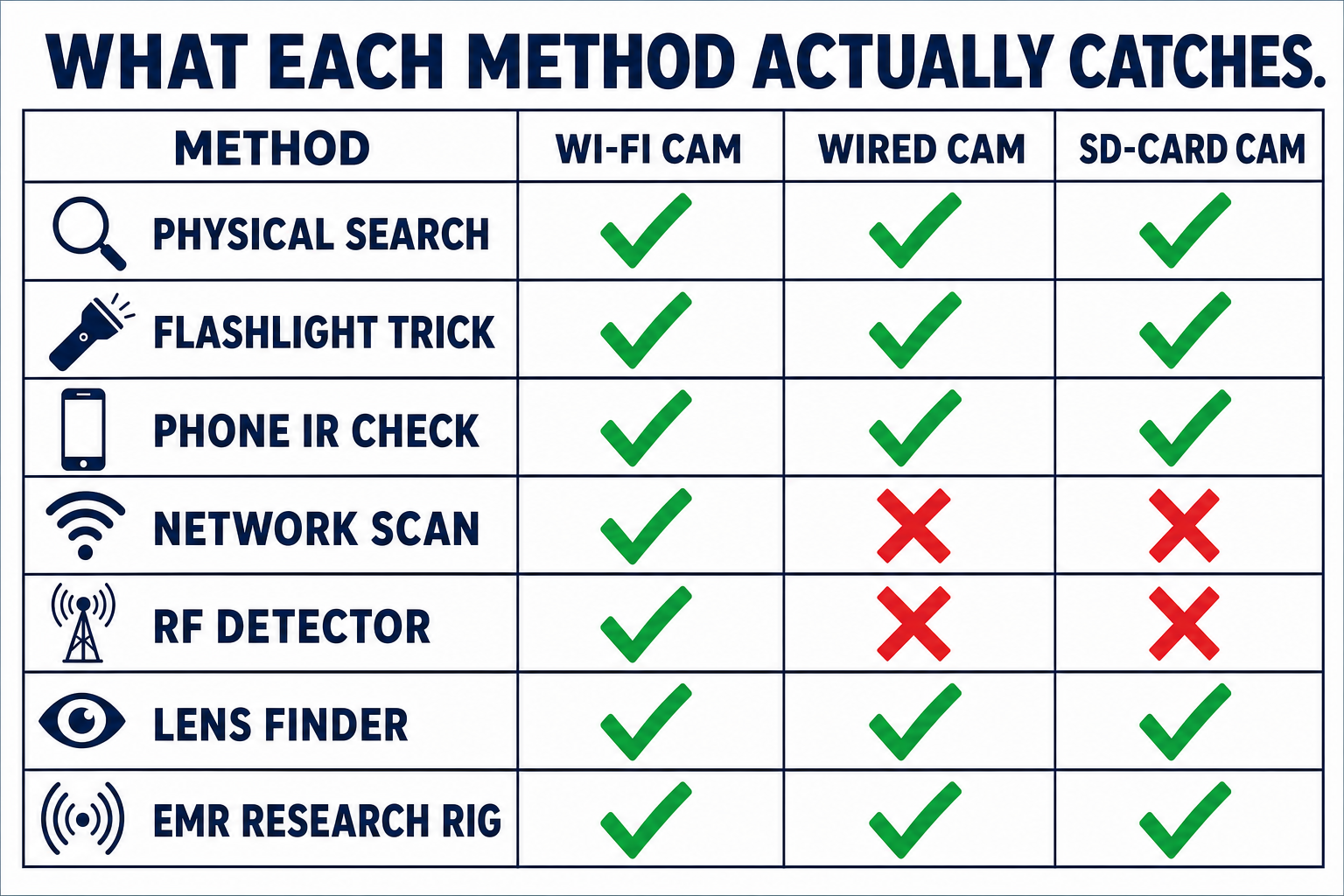
We're going to fix that. I'll walk you through 7 detection methods, from a free 5-minute sweep with your phone to a piece of university research that detected 100% of the 50 cameras it was tested against — by flicking the room lights. For each method you get an honest effectiveness verdict, grounded in published research and vendor specs where they exist, and clearly labelled as my judgement where they don't.
TL;DR — if you've only got 30 seconds
The best free method is the flashlight lens sweep — it catches wired and SD-card cameras that RF gadgets are structurally blind to.
RF "bug detectors" only hear cameras that transmit. A camera recording to a memory card makes no radio noise at all.
The future is a USENIX Security 2024 research rig that flicks the room lights and reads the electromagnetic leak from the camera's memory — 100% of 50 test cameras found, through walls, wireless or not.
✅ No skin in this game
StationX doesn't sell spy cameras or camera detectors, and there are no affiliate links in this article — we earn nothing if you buy (or don't buy) anything named below. We teach cyber security. Product links exist only so you can check our claims against the source.
Why Hidden Cameras Are a Real Risk
The threat here isn't Hollywood spycraft — it's cheap consumer hardware. A 1080p camera hidden inside a working USB charger costs around £35 on Amazon, records to a microSD card or streams over Wi-Fi, and never runs out of battery because it's plugged into the wall. The USENIX Security 2024 paper we'll spend Method 7 on puts it plainly: spy cameras are hard to catch because of their "small form factors and/or stealthy working mode" — and a meaningful share of them never transmit anything, which quietly breaks the most popular detection gadgets. That's the uncomfortable engineering reality under the survey numbers above, and it's why the method you choose matters more than the effort you spend.
So before any method: where do you even point it?

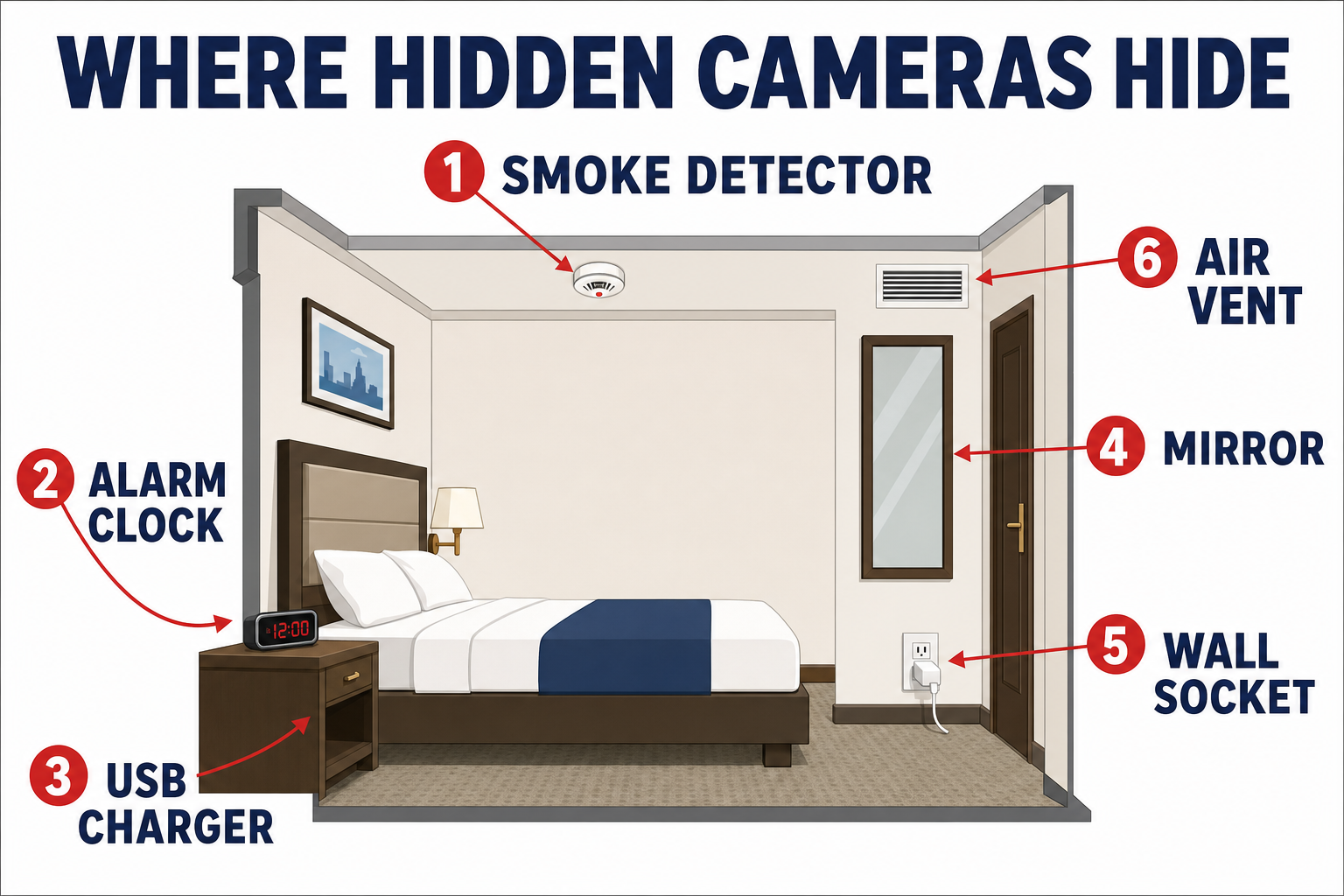
Where Hidden Cameras Hide (Smoke Detectors and Beyond)
A spy camera is small enough to hide behind a pinhole — the lens is the only part that has to see the room, and everything else fits inside ordinary objects.
The USENIX paper's own examples: smoke detectors, bathroom light fixtures, USB chargers, and power outlets. To those, add the other fixed objects with a sight line to where you sleep, change, or type:
Smoke detectors. The classic: ceiling position, wide view, permanent power. If you want to know how to find hidden cameras in smoke detectors, look for a tiny dark circle that isn't part of the sensor grille — and be suspicious of a detector positioned directly over the bed rather than the centre of the room.
Alarm clocks and speakers. They face the bed, they're mains-powered, and a lens hides easily behind dark plastic.
USB chargers and adapters. The £35 commodity classic — plugged in, always powered, always pointed somewhere.
Mirrors. Rare but nasty: a camera behind a one-way mirror defeats a visual search. The USENIX team tested exactly this scenario — more in Method 7.
Wall sockets, tissue boxes, picture frames, router cases. Fixed position, plausible presence, clear view.
The pattern to internalise: power + view. Objects that face the bed and never move are where you spend your attention.
Knowing the spots is half the job. The other half is a search method that catches what your eyes miss — so let's rank them.
Method 1 — How to Find Hidden Cameras in Your House: The Physical Search
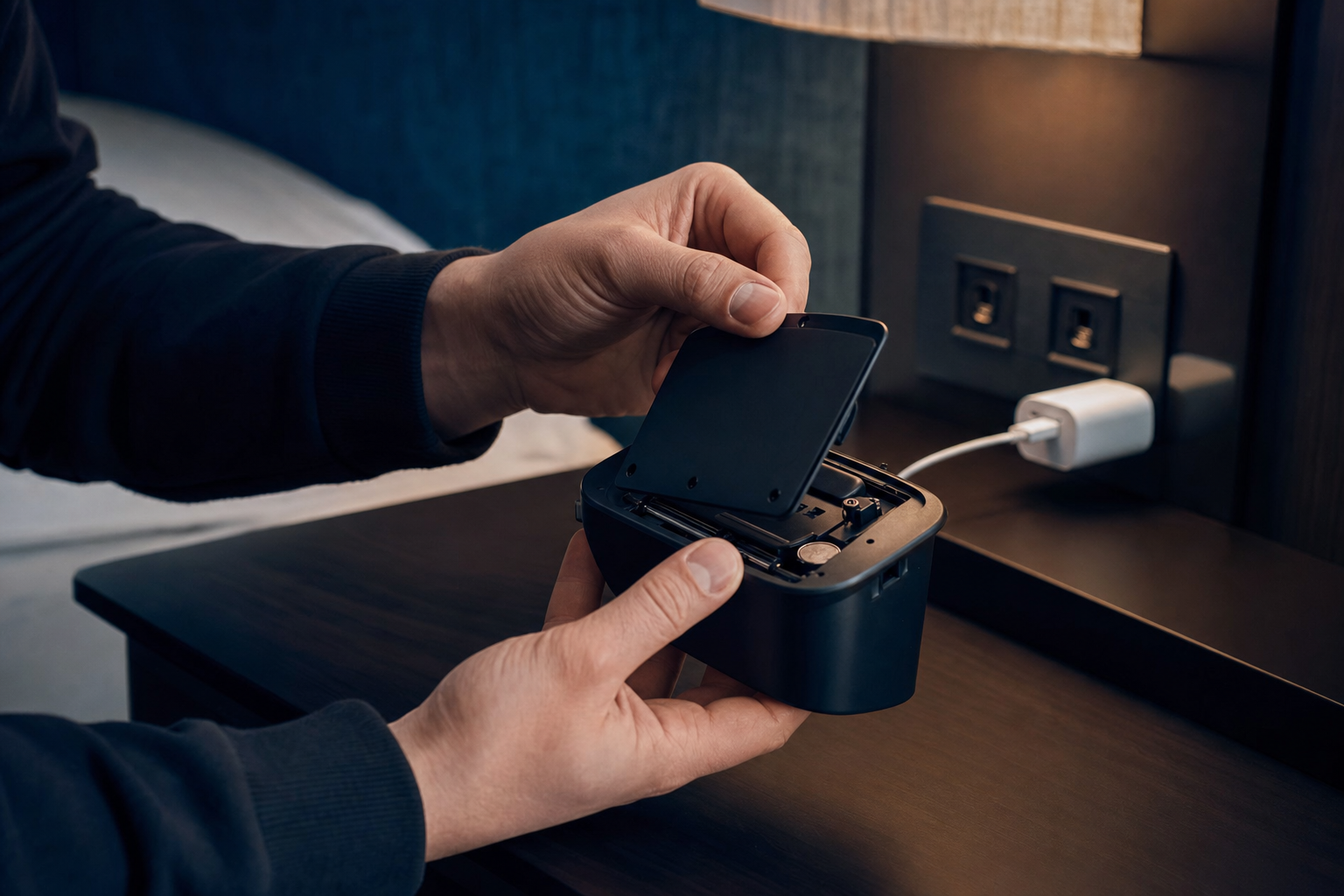
Before any gadget, do the boring version. Unplug and open anything that faces the bed and doesn't need to be there: the alarm clock, the USB charger that was thoughtfully left plugged in, the second smoke detector that's oddly off-centre. You're looking for lenses, microSD card slots, pinholes in plastic, and wires that go nowhere sensible.
Two checks worth adding in your own home: know what YOUR devices look like — in your house, a new object appearing is the red flag, and that's how to find hidden cameras in your home without any equipment. And check anything a visitor, contractor, or ex-partner had access to; you're not searching a stranger's room, you're searching for what changed.
Verdict: necessary but not sufficient. A physical search catches devices hidden without much imagination, but a lens behind a pinhole defeats it. That's what the next method is for.
Method 2 — The Flashlight Lens Trick (Free, and Better Than You'd Expect)
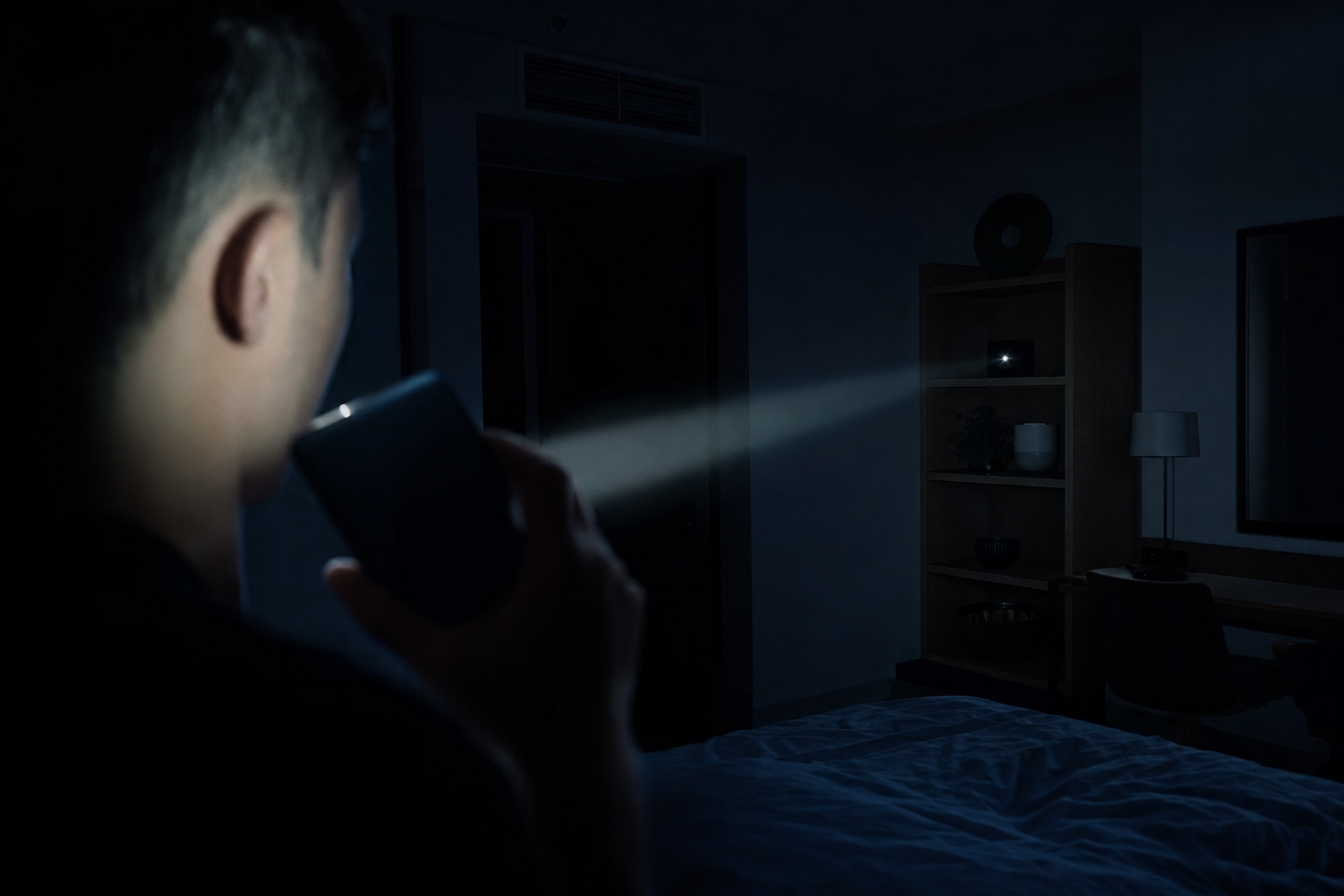
A camera lens is built to gather light, and it reflects a portion straight back toward the source. Turn the room lights off, hold your phone's flashlight next to your eye, and sweep it slowly across the room — especially the spots from the list above. A hidden lens shows up as a small, sharp glint that stays put when you move slightly. Dust and screw heads sparkle too, so check anything that glints from two angles: a lens reflects consistently, glitter doesn't. Expect false positives — the research community's polite phrase is "high false positives due to ambient reflections" — and treat the trick as a shortlist generator, not a verdict.
Academic work confirms both the power and the limits of optical detection: LAPD, a hidden-camera detector built on smartphone time-of-flight sensors (ACM SenSys 2021), works at 0.45–1.5 m per the USENIX paper's comparison — close range, pointed straight at it.
Verdict: the best free method. It finds wired and SD-card cameras that most gadgets miss, because it doesn't care whether the camera transmits. It just takes patience and line of sight.
Your phone can do more than hold the flashlight, though — and one of its tricks works on cameras you can't see at all.
Method 3 — How to Find Hidden Cameras With Your Phone: The Infrared Check
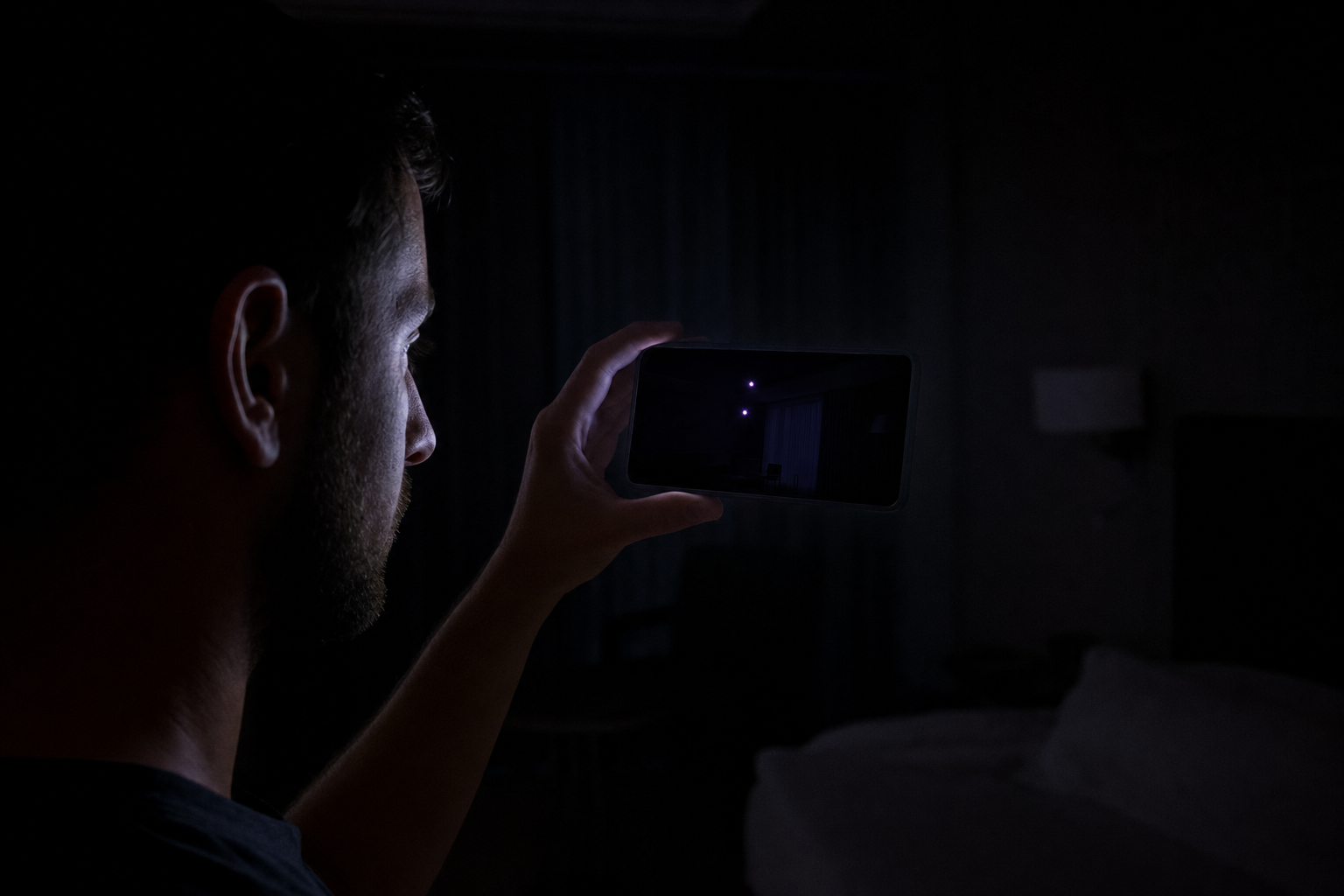
Night-vision cameras illuminate the room with infrared LEDs that are invisible to your eyes but not to a camera sensor. Some phones' front cameras pass more infrared than the rear one — and the only way to know about yours is to test it, which takes 5 seconds: point the front camera around a dark room and active IR illuminators show up as glowing white/purple dots on screen. Calibrate first on a TV remote — press a button and watch for the LED glowing on your screen. If the remote's LED doesn't show, your phone filters IR on both cameras and this method won't work for you.
💡 In plain English
This method doesn't care whether the camera transmits. An SD-card camera with night vision glows in infrared just like a Wi-Fi one — this and the lens tricks are your offline-camera catchers.
Verdict: a genuinely useful 60-second check — in the dark, against IR-equipped cameras, on a phone that passes the remote test. Outside those conditions it tells you nothing, which is why it's a layer and not a strategy.
The other phone technique works in daylight — but only on cameras that talk to the network.
Method 4 — The Network Scan
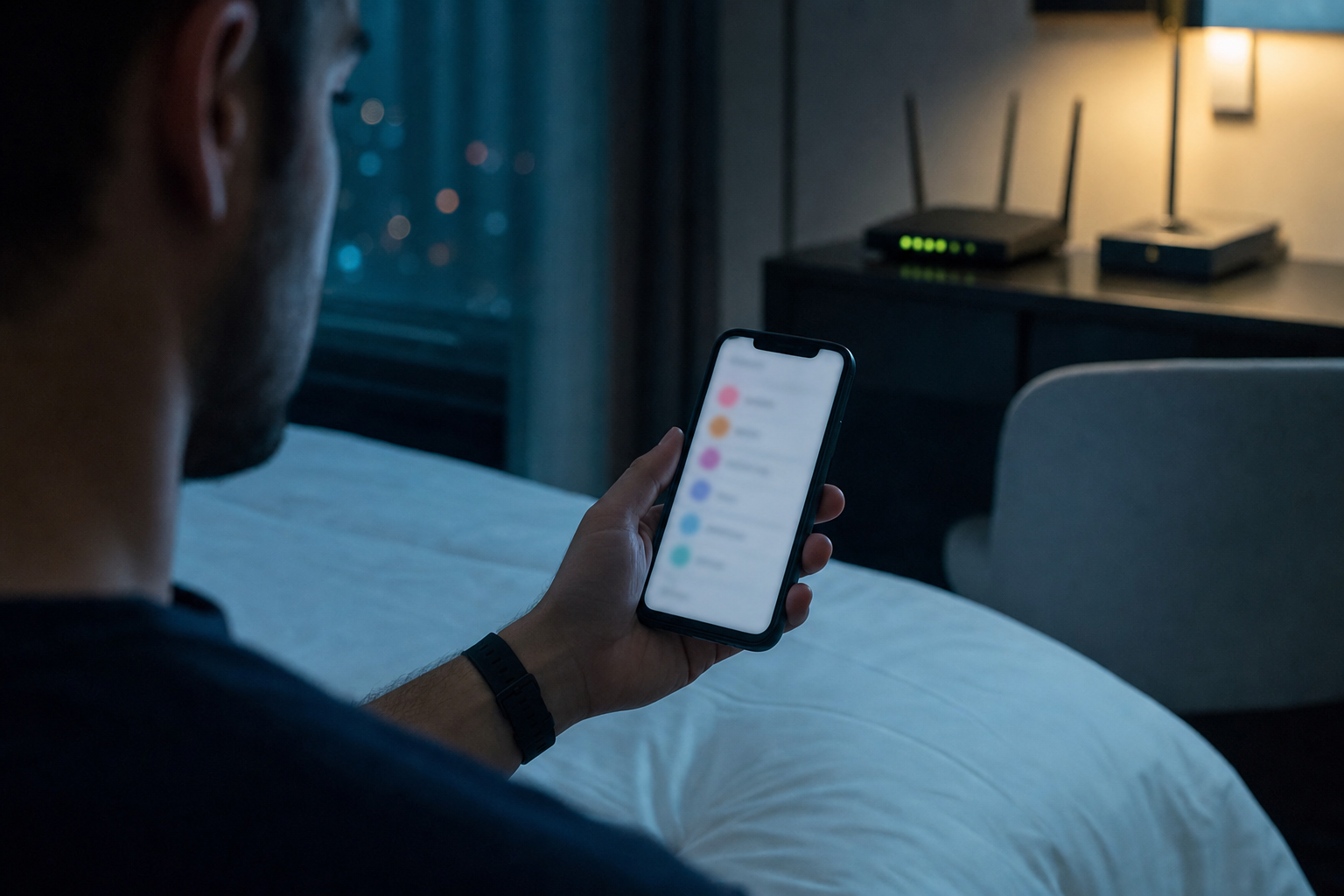
Wireless cameras streaming over the property's Wi-Fi show up as devices on that network. Join the Wi-Fi and run a network scanner app — it lists connected devices with their manufacturer names. Camera brands (Hikvision, Dahua, Wyze, Arlo) are an obvious tell; so is any device you can't account for.
While we're on phone apps: the paid "EMF detector" apps that wave your phone around are mostly theatre. They read the magnetometer — a sensor built to be a compass — and I think you can skip them entirely.
Verdict: useful, free, and heavily oversold. A camera on a separate hotspot, a wired camera, or one recording to a microSD card is completely invisible to a network scan. It's the right tool for exactly one class of camera — which is still worth 2 minutes.
Everything so far depends on a visible lens, an IR glow, or a shared network. The dedicated hardware promises more — and this is where the marketing gets ahead of the physics.
Method 5 — RF Detectors (Bug Sweepers)
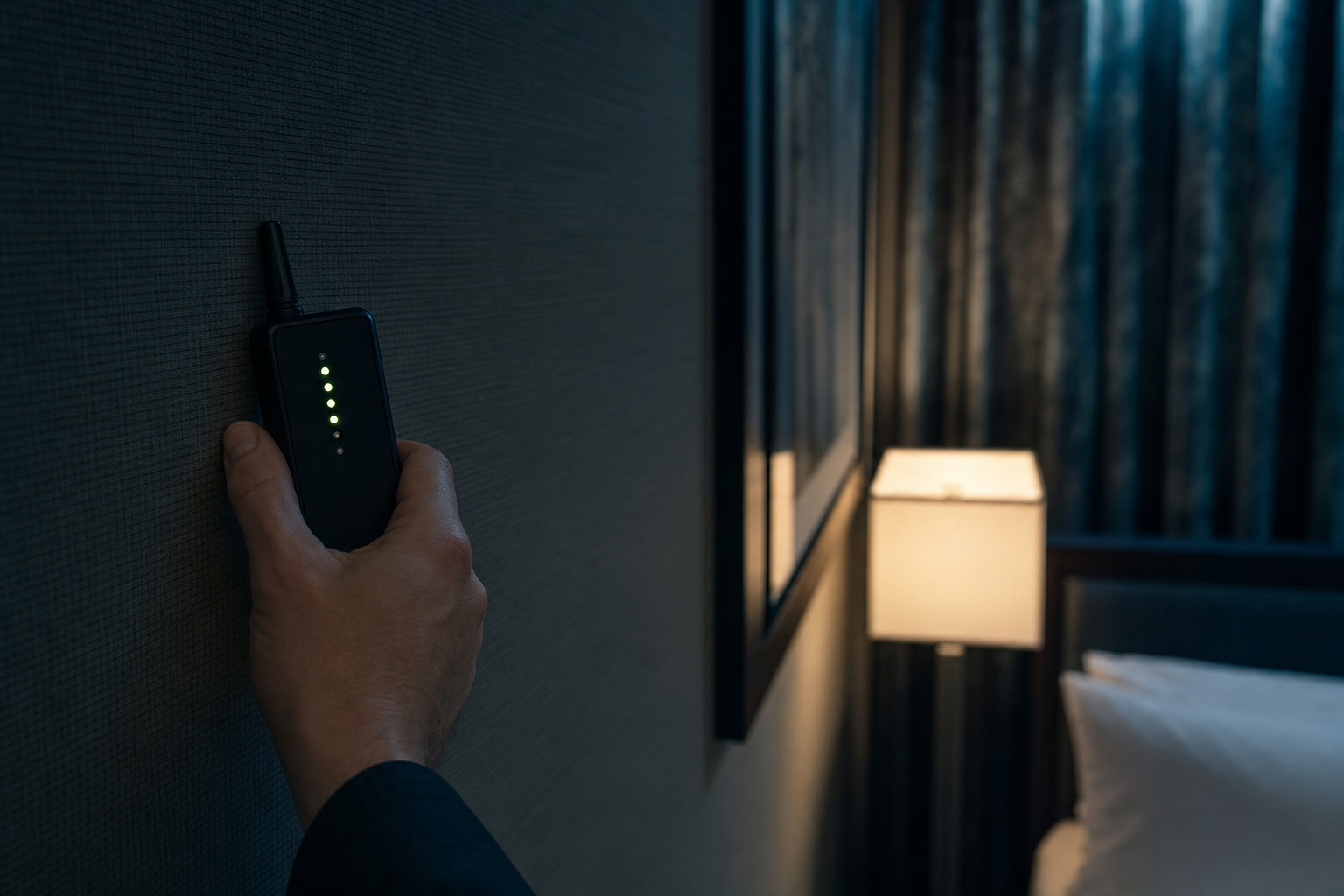
An RF detector is a wideband receiver — the ubiquitous K18-class units advertise 1 MHz to 6.5 GHz — that beeps when it picks up radio energy. A wireless camera streaming video radiates constantly, so sweeping the detector around the room and watching the signal-strength bars can lead you to it.
The honest problems: a modern room is drenched in RF. Wi-Fi routers, phones, Bluetooth, smart TVs — everything beeps. Cheap detectors can't tell a camera from a doorbell, so you get false alerts until you learn to sweep with everything else powered down. And the deal-breaker: a camera that records to a microSD card, or streams over a wire, transmits nothing at all. The USENIX researchers make exactly this point — a substantial portion of spy cameras never initiate a wireless connection, and RF scanning cannot see them, ever.
⚠️ The blind spot that matters
An offline camera makes no radio noise. The most-marketed hidden camera detector class cannot detect the most careful class of camera — by physics, not by build quality.
Verdict: worth $30 if you travel a lot, as ONE layer. It finds transmitting cameras fast. It is structurally blind to the rest, and the rest is exactly what a careful voyeur uses.
Method 6 — Dedicated Lens Finders

A lens finder is the flashlight trick in a purpose-built package: a ring of bright LEDs around a tinted viewfinder. Sweep the room through it and reflecting lenses blink back at you; the filtered viewfinder is designed to make the glint easier to pick out from random sparkle than the naked-eye version — though be aware there's no independent lab data comparing the two. One widely sold example is the SpyFinder Pro, currently $148 with a claimed working range of 2–45 feet, and the vendor is explicit that it finds "wireless and wired cameras... working and non-working cameras".
Verdict: my pick if you only buy one gadget — because like the flashlight trick it catches offline cameras, with a tool built for the job. Same physics, same limits: close range, line of sight, methodical sweeping.
Which brings us to the obvious question: is there anything that finds all three classes — wireless, wired, and offline — without crawling around a room for half an hour? As of 2024, yes. In a lab, under lab conditions.
Method 7 (the Future) — Flashing the Lights: The "Eye of Sauron" Method
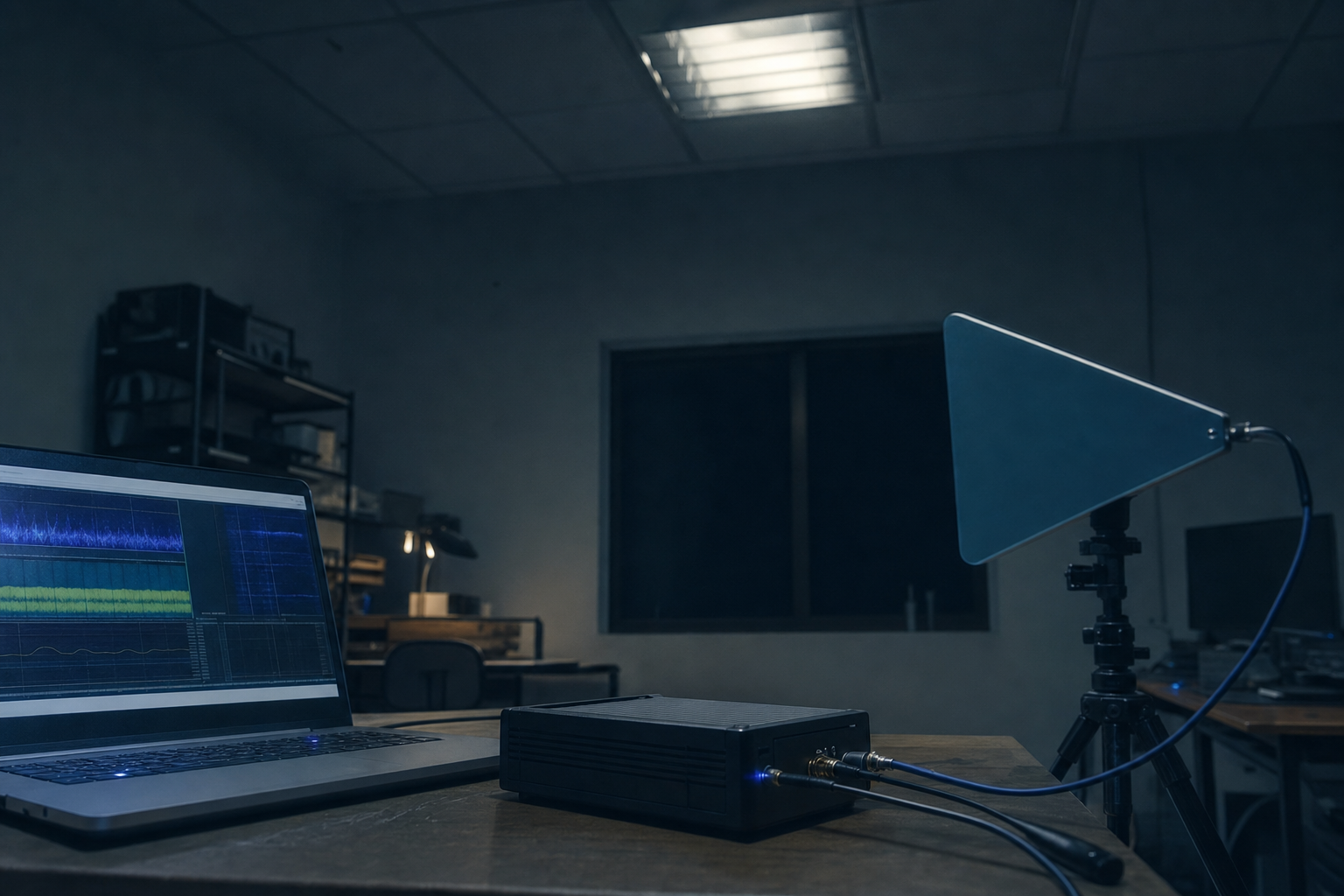
This is my favourite piece of privacy research in years. At USENIX Security 2024, researchers from Hunan University, Michigan State, and UC San Diego presented ESauron — they call the prototype the Eye of Sauron — and the idea is beautifully simple once you see it (full paper PDF).
Every camera — wireless, wired, or recording to a card — has to encode video in real time, and that work happens in the camera's inbuilt working memory. Busy memory leaks electromagnetic radiation at its clock frequency, and the harder it works, the stronger the leak. So the researchers make the scene change on command: flick the room lights on and off. To a camera, the whole scene just changed, which triggers a burst of video encoding — and its memory radiation spikes on cue. A non-camera device doesn't care about the light. Toggle, spike; toggle, spike: that correlation IS the detection. (The viral short that sent me down this rabbit hole says "strobe light" — not quite. The strobe is a separate part of the rig, mounted on the receiver and used in the second phase: once a camera is confirmed, it provides continuous scene changes while you walk toward the strongest signal to pinpoint the device.)
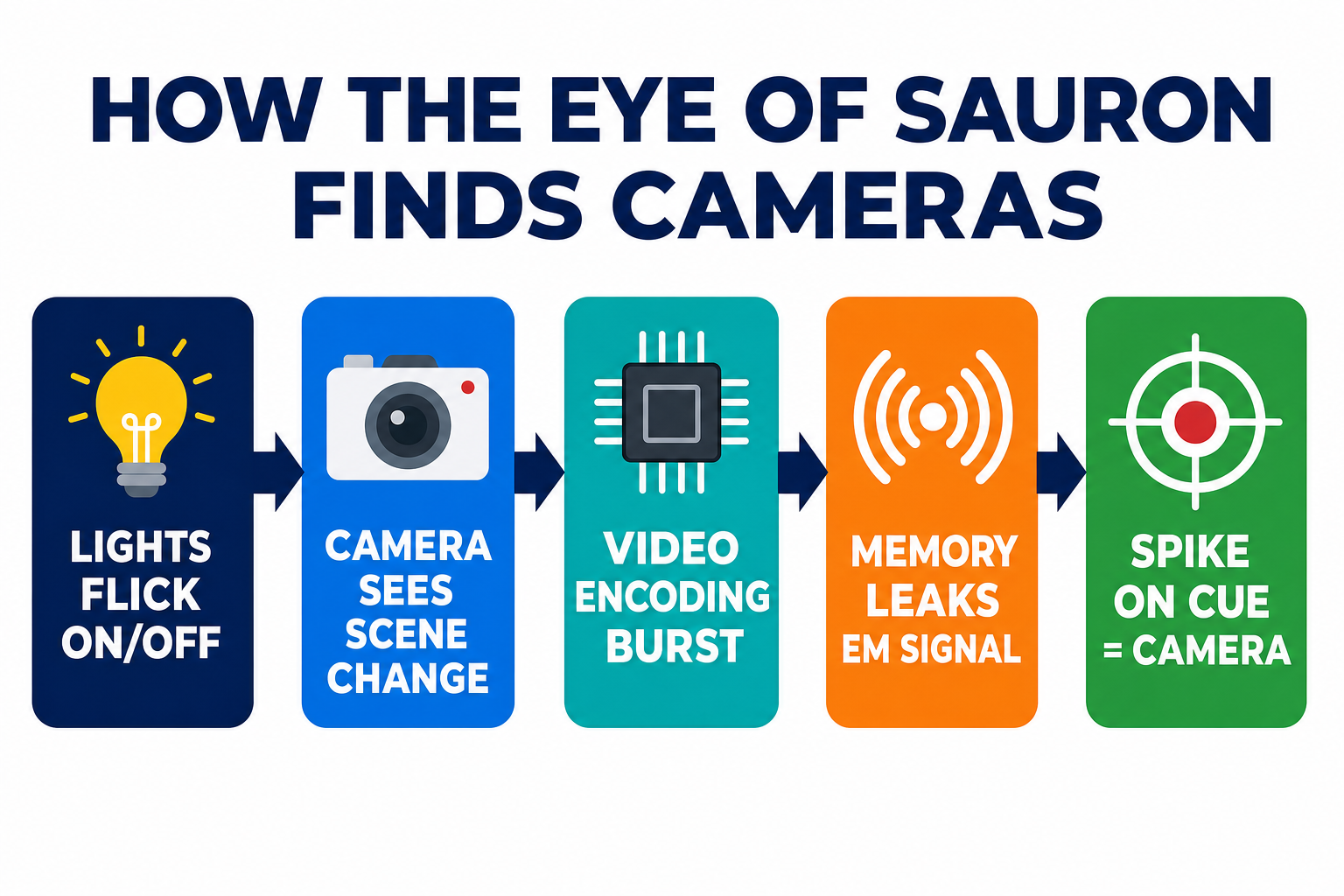
The results, all from the paper, all under its test conditions (50 consumer cameras, 10 brands, H.264/H.265 codecs):
100% detection after 4 light toggles — including a test with 15 cameras deployed simultaneously. False positives dropped to zero after 3 stimulation rounds.
Up to 30.6 m range for plastic-housed cameras; 11.2 m through metal housings. Still worked through a 25 cm concrete wall (at reduced range, 14 m) — three walls finally blocked it.
Pinpoint localization. In tests with 13 cameras, users walked to within 0.5 m of the device (the success threshold) every time — in 4.1 s in a small bathroom, up to 32.3 s in a conference room.
Shielding barely helps. Wrapping 95% of a camera in aluminium sheet (cut from a Coke can) still didn't fully hide it — though it did collapse the detection range to a little over 2 m.
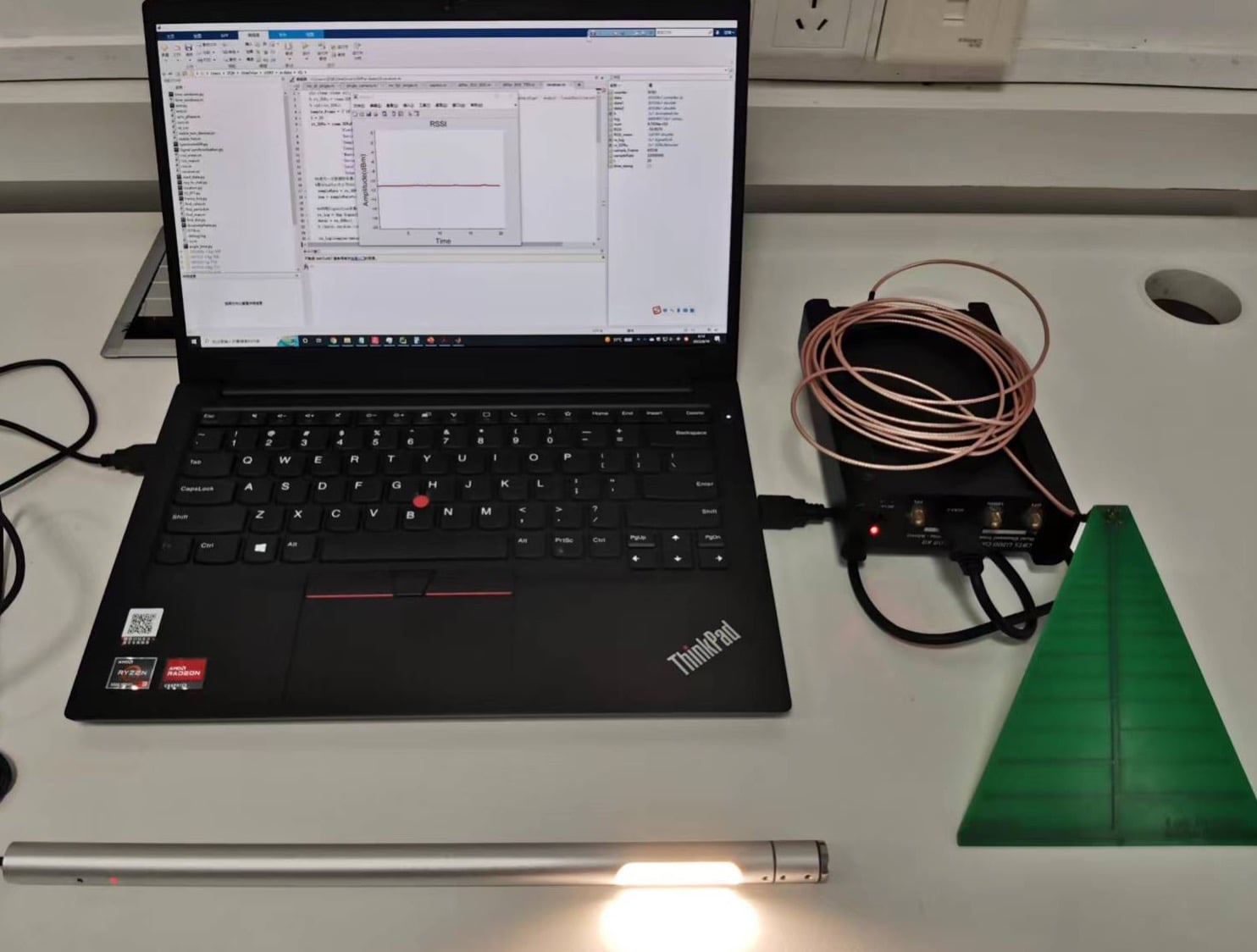
The actual Eye of Sauron prototype — laptop, software-defined radio, antenna and strobe. Image: Zhang et al., USENIX Security 2024.
For context on why this is a leap: earlier electromagnetic detectors existed, but CamRadar — which listens to a camera's analog-to-digital converter instead of its memory — manages roughly 0.7 m against a plastic-housed camera in the paper's side-by-side test, and DeHiREC applies the same ADC idea to voice recorders. ESauron's memory-leak approach hits 30.6 m on the same test — about a 40× range jump.
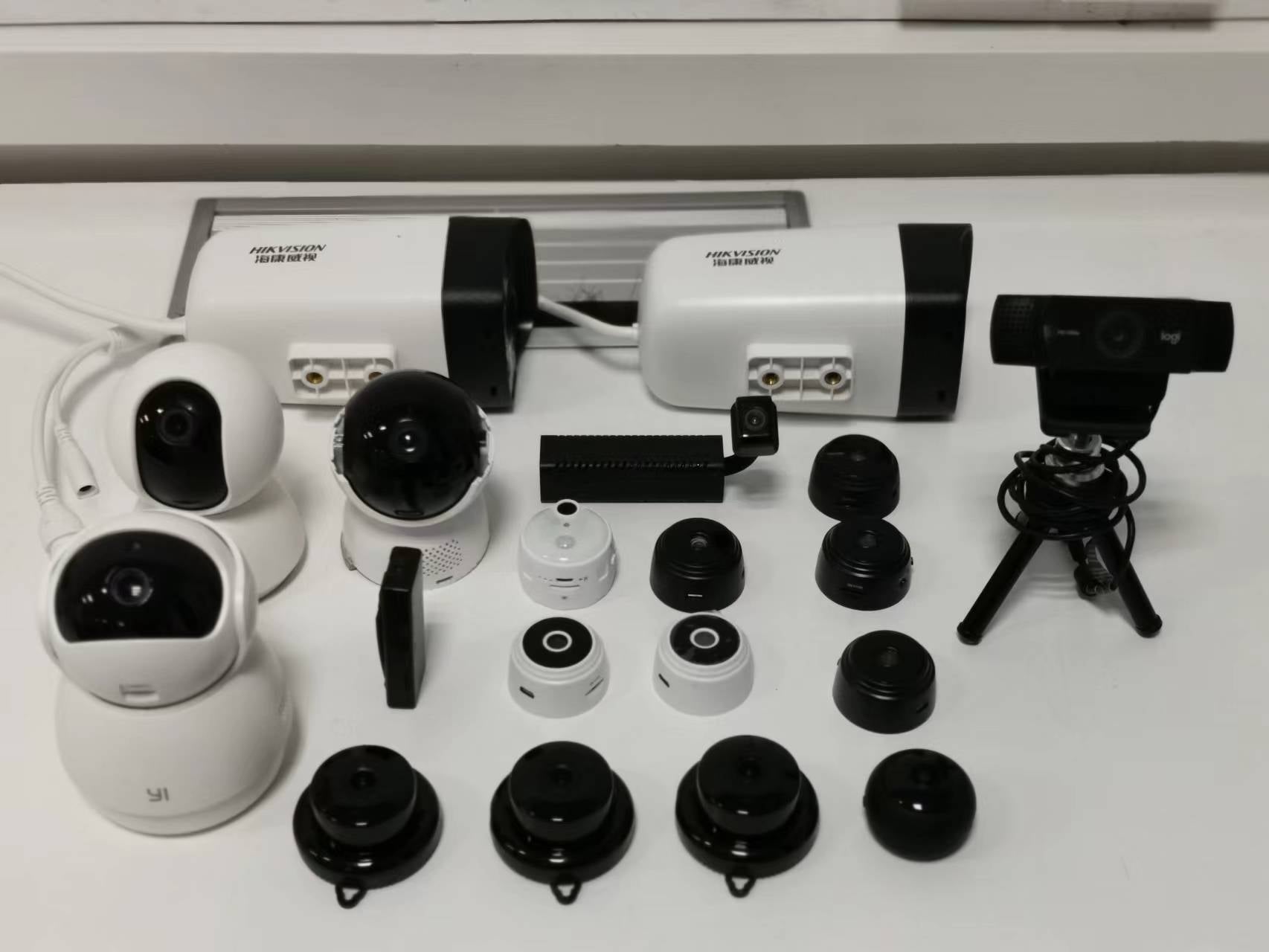
Some of the test cameras: miniature spy cams, webcams, surveillance and home security units. Image: Zhang et al., USENIX Security 2024.
The honest limits, straight from the paper: it needs active stimulation (you control the lights); it struggles with recent smartphones (low-power memory plus internal shielding); DRAM-less low-power gadgets are outside its scope entirely; the directional antenna can miss badly-aligned devices; and in three deliberately nasty scenarios (moving objects in view, auto-refocusing lenses, cameras outside a window) miss rates started above 40% and needed 5 stimulation rounds to approach zero. The full parts list — laptop, USRP B210 radio ($2,387 on its own), log-periodic antenna, strobe — has no published price total, so treat any cost figure you read (including mine) as an estimate.
Can you buy one? Our own search this month found no commercial product using the technique as of July 2026 — the market is still RF sweepers, lens finders, and apps. But the researchers say they're porting it to a Raspberry Pi with an RTL-SDR — a $35–40 dongle — and the physics doesn't need the expensive radio. My bet, and it is a bet: the Airbnb-anxiety market is large, the bill of materials is collapsing, and I'd be surprised if a consumer "flick the lights, find every camera" device doesn't appear within a few years. If it delivers on the paper, it would be the only method on this list that catches an offline camera through a wall.
Until you can buy that, though, you need a routine built from the methods that exist. This is mine.
How to Find Hidden Cameras in an Airbnb or Hotel Room: My 10-Minute Checklist
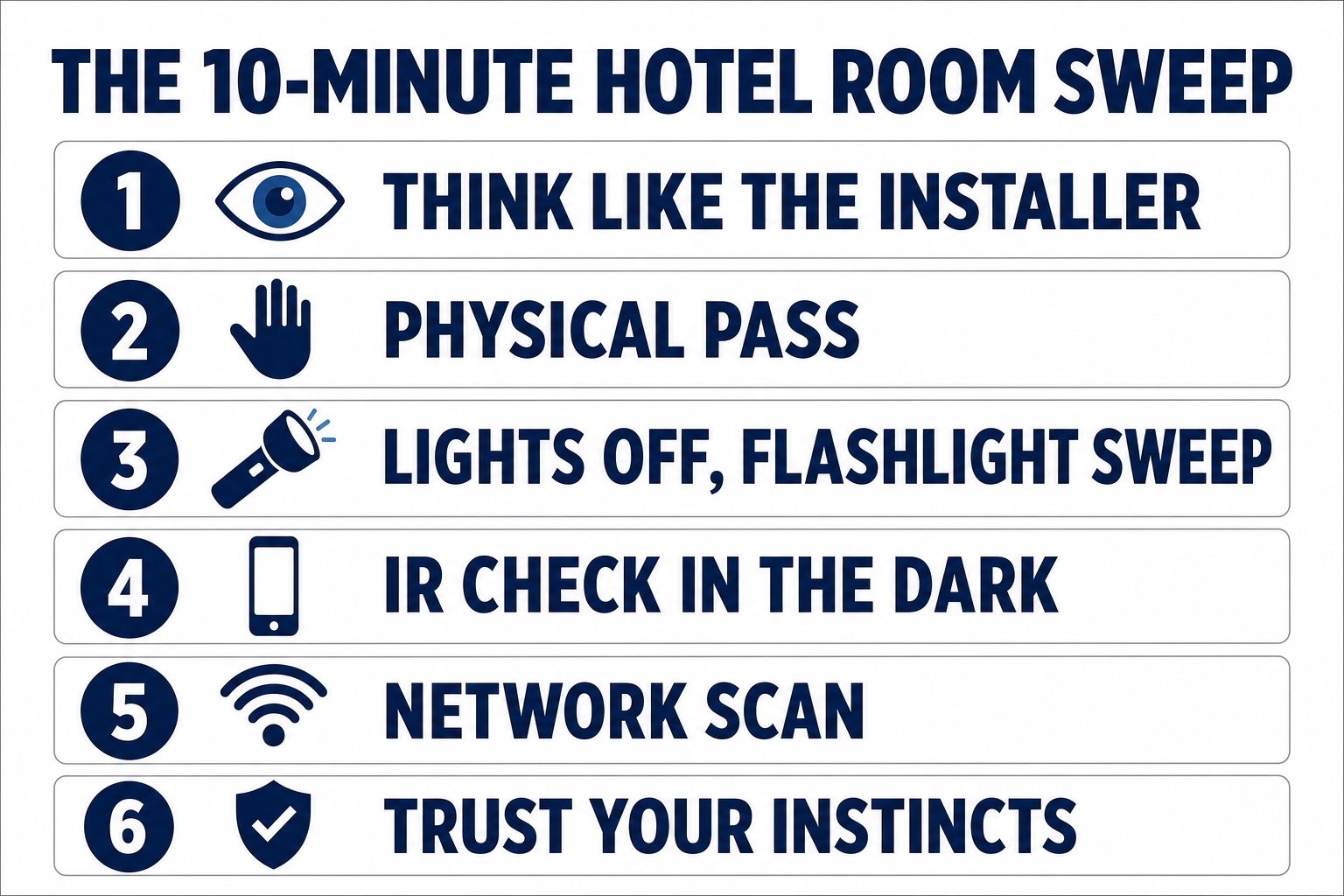
After 30 years in security I don't sweep every room I sleep in — but for a rental with a private owner, or any room where I'll work on client material, I do this:
Think like the installer (1 min). Stand where the bed and bathroom are. What has a sight line to both and never moves? Those objects are your shortlist.
Physical pass (3 min). Handle the shortlist: alarm clock, chargers, smoke detector over the bed, decorative objects facing it. Look for pinholes and microSD slots. Unplug what doesn't need power; a spy camera charger stops mattering when it's in a drawer.
Lights off, flashlight sweep (3 min). Slow arc across walls, shelves, and ceiling fittings, watching for that fixed glint. Do the bathroom too — vents and mirrors.
IR check while it's dark (1 min). Front phone camera, slow pan. Glowing dots you can't see with your eyes get investigated.
Network scan (2 min). Join the Wi-Fi, scan, and account for every device. An "IP camera" that isn't the doorbell you were told about is a conversation with the host.
If something feels wrong, trust that. Cover what you can't verify (a towel over the alarm clock costs nothing), and in an Airbnb, report it: since 30 April 2024 Airbnb bans security cameras inside listings "regardless of their location, purpose or prior disclosure". (One carve-out: hotel-style listings may still have cameras in indoor common areas like lobbies — but never in your room.)
No routine gives you certainty — an expertly hidden, offline camera can survive all five checks, which is precisely the gap the research in Method 7 exists to close. What this routine does is raise the cost of spying on you from "buy a £35 charger" to "defeat five different physical checks", and in my judgement that deters the common case. For certainty, we wait for the flashbang box. If this kind of practical defence is your thing, our privacy and ethical hacking training goes much deeper.
Frequently Asked Questions
Can my phone really detect hidden spy cameras?
Partly. The front camera can reveal infrared night-vision illuminators in a dark room — including on wired and SD-card cameras, since the check doesn't depend on transmission. A network scanner app can expose Wi-Fi cameras on a network you've joined. What a phone can't find: a camera with no IR illumination that isn't on your network — for that you need the flashlight lens sweep or a lens finder.
Do hidden camera detector apps actually work?
The network-scanning ones do a real job. The "EMF meter" ones that use your phone's magnetometer are close to useless beyond a few centimetres — the sensor was built to be a compass. Research prototypes that genuinely detect camera electronics use software-defined radios, not phone sensors.
How do I find hidden cameras in smoke detectors?
Stand under it and look for a small dark circle or pinhole that isn't part of the sensor pattern, then do the flashlight test against it from below. Be most suspicious of a second detector, or one mounted directly over the bed. If you can reach it, a real smoke detector opens to show a test button and sensor chamber — a camera unit shows a lens and often a microSD slot.
Will an RF detector find a camera that records to an SD card?
No. An RF detector only hears radio transmissions, and an offline camera makes none. That's the biggest blind spot in cheap bug sweepers — and the main reason the 2024 memory-radiation research matters: it detects the camera's internal processing, which happens whether or not it transmits.
Is there a detector that finds every hidden camera?
Not on the market. The closest thing is the ESauron research system from USENIX Security 2024, which detected 100% of the 50 cameras it was tested against — wireless, wired, and offline — by toggling the room lights and reading the electromagnetic leakage from their memory. It has real limits (smartphones, DRAM-less devices, active stimulation required), it's a lab prototype today, and whether it becomes a product is a prediction, not a promise — my bet is yes, within a few years.
About the Author

Nathan House, Founder & CEO of StationX
Nathan House has 30 years of hands-on cybersecurity experience and is Cambridge-educated, holding CISSP, CISA, CISM, OSCP, CEH, and SABSA. He founded StationX in 1999 — one of the UK’s first cybersecurity companies — and has secured £71 billion in UK mobile banking transactions and the London 2012 Olympics, advising clients including Microsoft, Cisco, BP, Vodafone, and VISA. He authored the world’s most popular cybersecurity course — a #1 Udemy bestseller taken by over 500,000 students — and was named Cyber Security Educator of the Year 2020, AI Security Educator of the Year, and a UK Top 25 Security Influencer 2025. A DEF CON speaker and featured expert on CNN, Fox News, NBC, and the BBC, Nathan leads StationX’s training of more than half a million students worldwide.